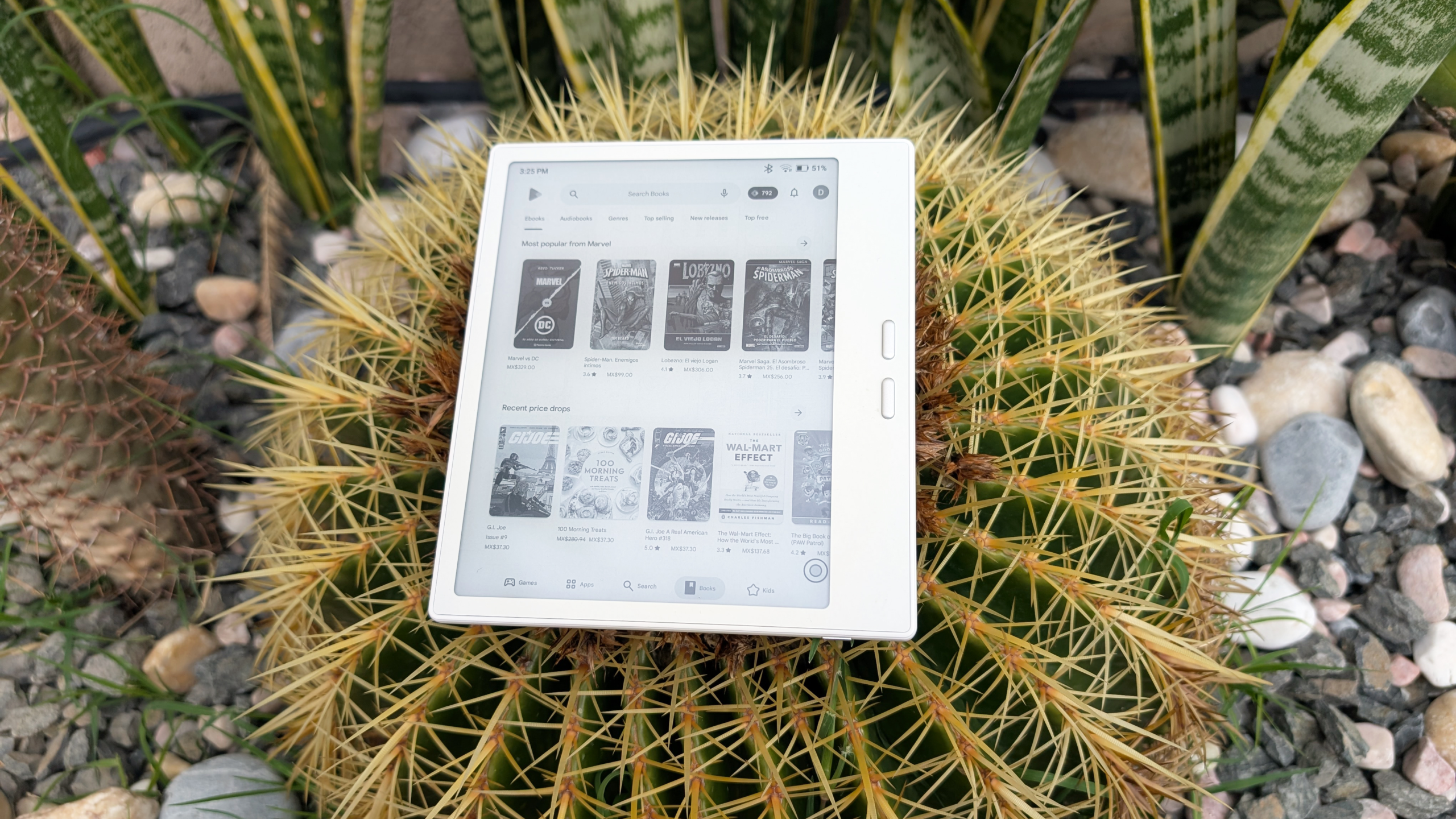

Although it’s not a brand name on most people’s lips, Boox’s line of e-readers are without question the best e-ink devices on the market right now that aren’t Kindle or Kobo, and arguably the best in their class out of any e-reader. Now, the Go 7 isn’t a perfect product by any stretch, but it gets a whole lot right that the competition fails at — enough that you can probably adapt to some of its rough edges.
Pricing and specs
The Boox Go 7 is priced at $249.99. While that’s more than double the price of either Kindle or Kobo’s cheapest device, it outclasses nearly everything either company has ever made in terms of storage, battery life, and raw processing power. To top it all off, it’s somehow lighter than the similarly sized Kindle Paperwhite or Kobo Libra. The only other e-reader that can stand toe-to-toe with the Go 7 would be the Bigme 751, which is slightly more expensive but offers better specs and a more comprehensive bundle.
Specifications
| Display: Carta 1300 | Resolution: 1264 x 1680, 300 ppi |
| CPU: Octa-core, 2.4 GHz | RAM: 4 GB |
| ROM: 64 GB, SDcard slot | Connectivity: Wi-Fi, Bluetooth |
| Battery: 2,300 mAh | Weight: 195 g |
| Dimensions: 156 x 137 x 6.4 mm | Stylus: USI 2.0 (not included) |
| Warm-to-cold Frontlight | Speaker, Microphone |
| Auto-rotation | USB-C with OTG |
Boox’s Carta 1300 is among the best available
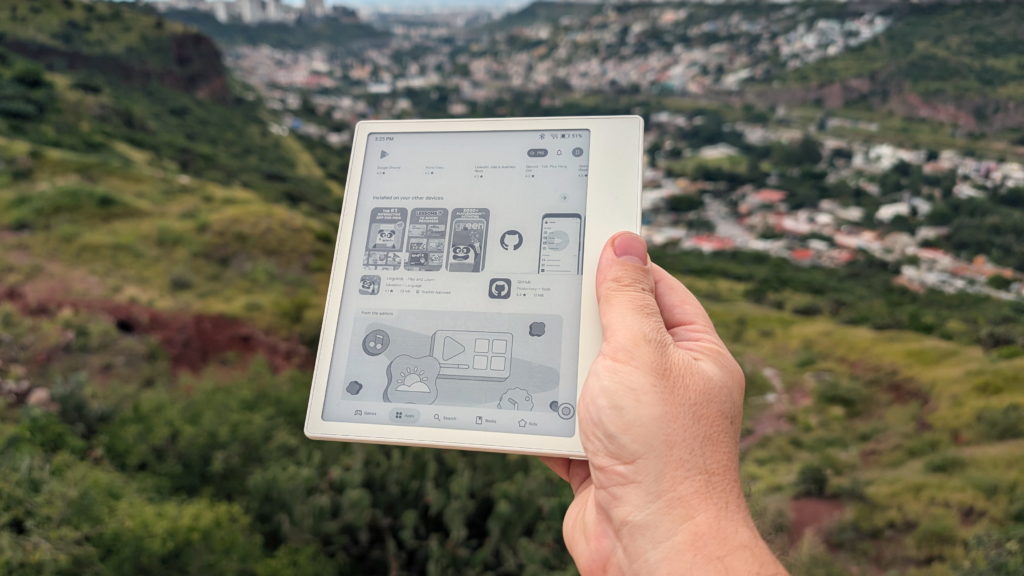
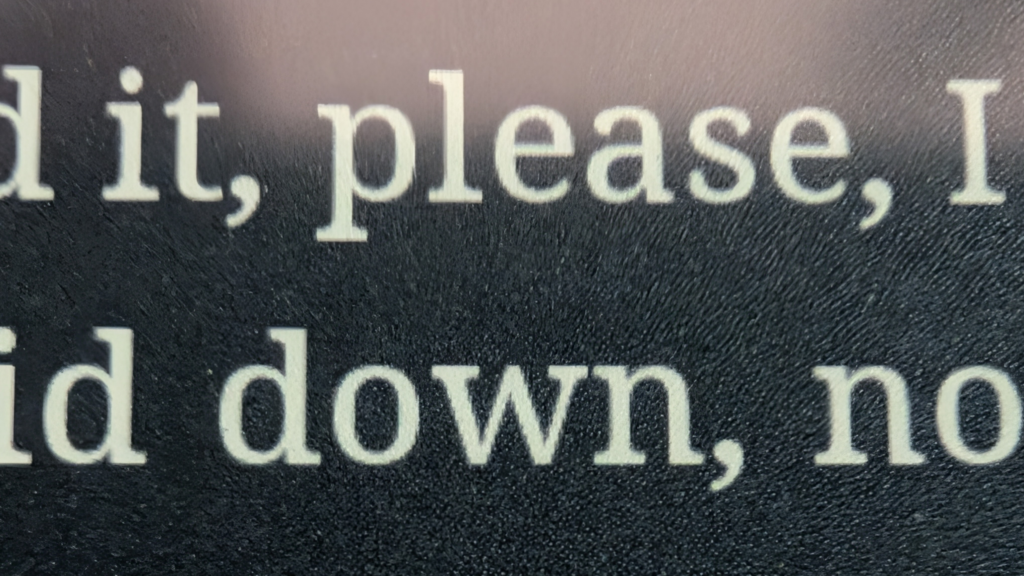
The screen on the Go 7 is the current state of the art when it comes to black-and-white displays from E Ink. Their latest tech is called Carta 1300, and it’s been popping up in consumer devices for over a year now, so it’s fairly proven at this point. It looks nice. The 300 pixels-per-inch and 16 levels of gray mean that icons and glyphs are sharp and legible. Like all e-ink devices, the “white” is actually a light shade of gray, but the Go 7 has really good contrast even on the finest of lines.

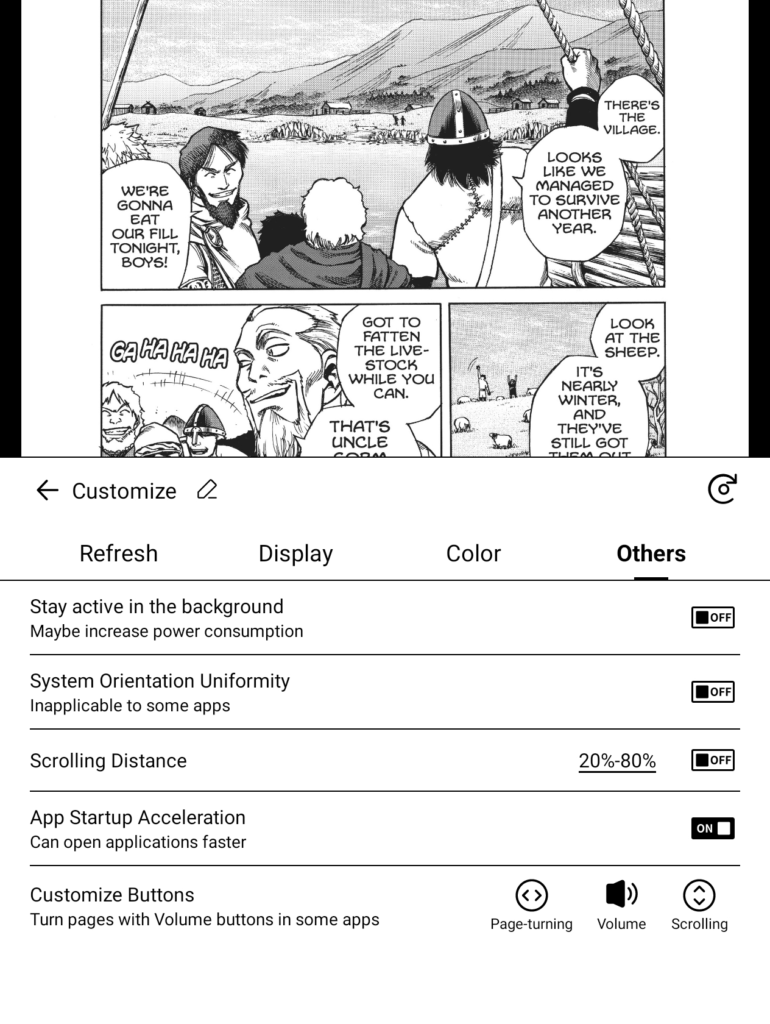
Where the Go 7 really shines over its competitors is its ability to scroll without looking like a choppy mess. Reddit, once you dial in the settings (more on that later), works really well on the Go 7. Having said that, the scrolling in other apps can look terrible. In particular, Google Play deserves special mention for just how unenjoyable it is to use. Whereas Reddit glides smoothly across the screen, Google Play turns into a jumbled mess that hurts your eyes. Normally, you can get around stuff like this by customizing the buttons so they scroll instead of changing the volume, but for whatever reason, it doesn’t work on Google Play.
Lighting on the Go 7 is as good as anything else I’ve used. It can go from warm to cold, depending on your preference, and no shadows or dead spots are lurking on the edges or in the corners. You can also set up gestures to control both warmth and brightness, so you don’t have to jump in and out of the settings to adjust them. However, the gestures can be finicky, and aren’t as smooth as on a Kobo, which tends to have it very dialed in.
The UI is a burden to learn, but it’s worth the effort
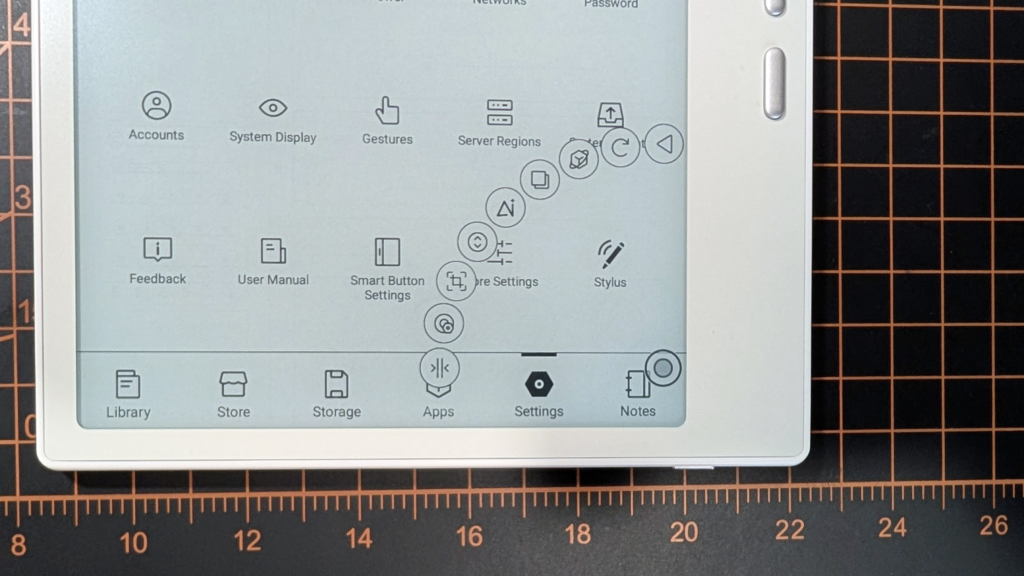
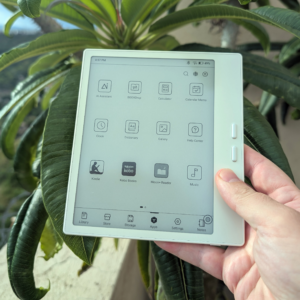
Boox typically makes really good hardware, but its user interface is almost always perplexingly Byzantine. For instance, there’s a tab menu at the bottom of the screen when you’re not in an app, and one of the options is for settings. Fair. If you swipe down from the top-right of the screen, a “Control Center” drops down with more settings that can be customized from yet another menu. Finally, there’s a floating “Navigation Ball” that enables even more features and settings. There is some overlap between all of these options, but not a lot, and figuring everything out can be overwhelming.
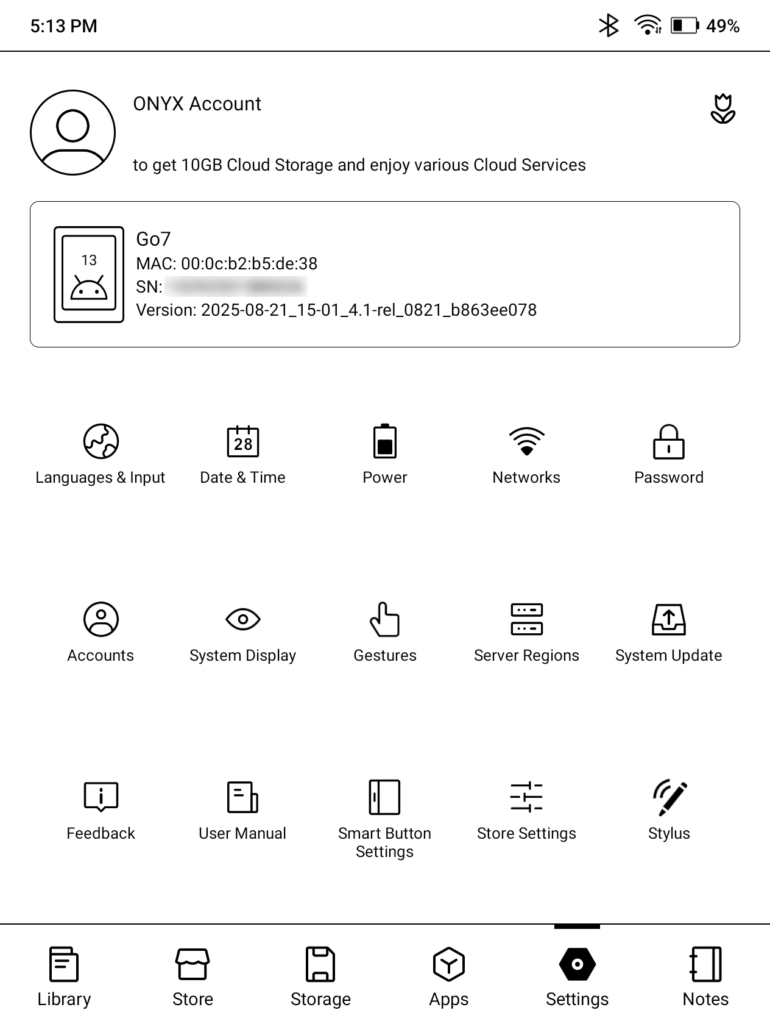
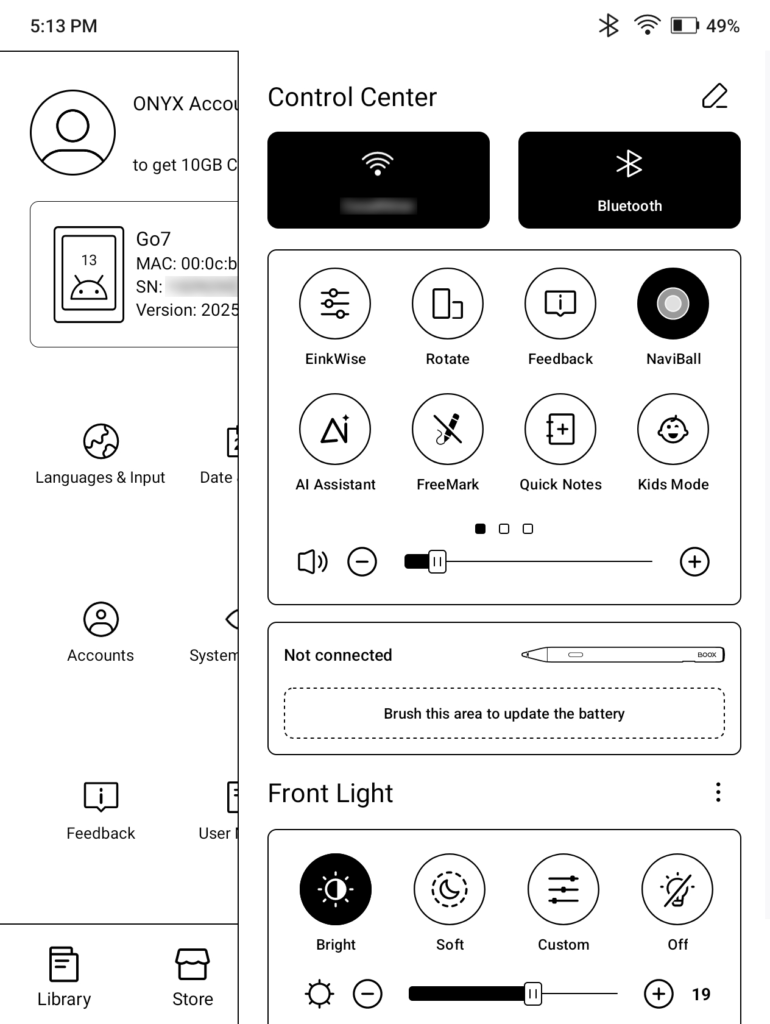
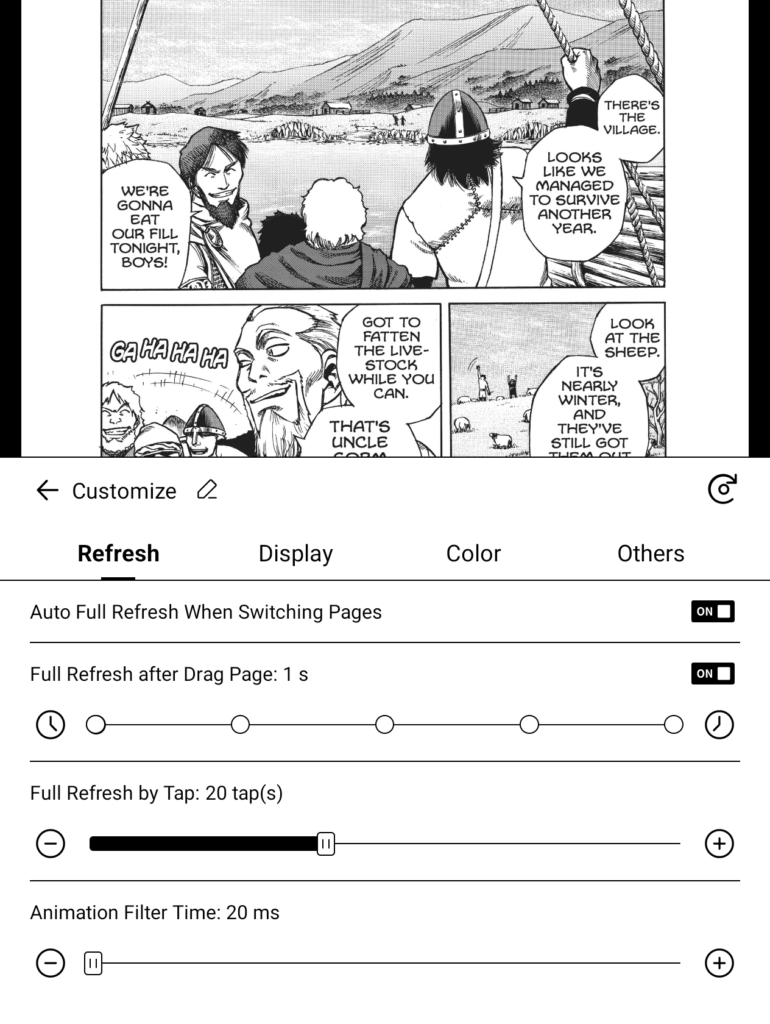
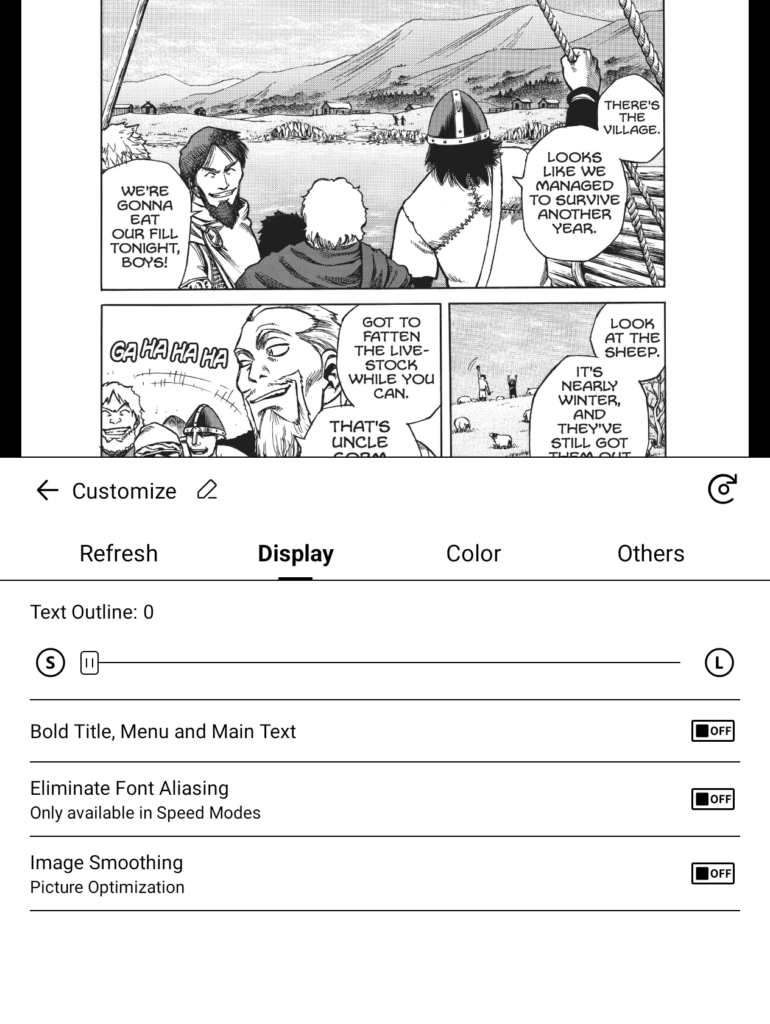
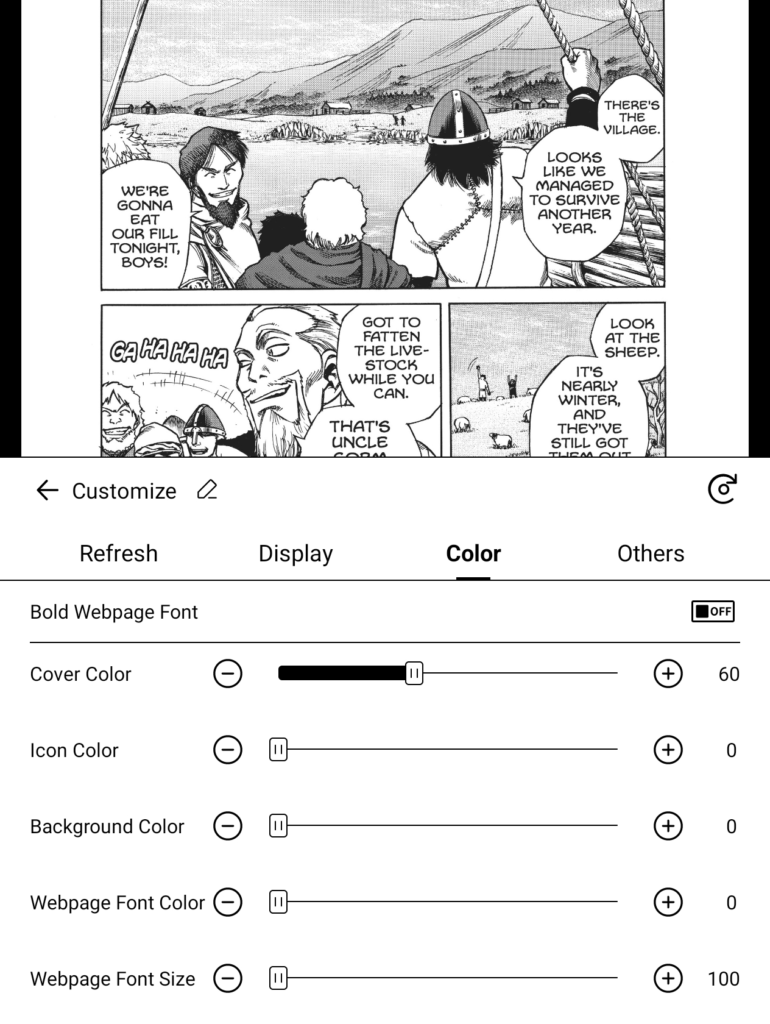
Still interested in a Boox? Good, because if you’re willing to dive in and learn how to use your Go 7, it’s going to give a lot back. Boox is at the cutting edge of the interface between e-ink and Android; in other words, it’s ahead of the curve. App makers, for the most part, aren’t designing their apps with e-ink in mind. In order to compensate for that, Boox lets you customize how the device interacts with each app on an individual level. So if you’re using an app that’s image-heavy, you can set the Go 7 to refresh more often to clean up the ghosting. On the other hand, if you’re just reading a book and ghosting isn’t a big issue, you can lower the refresh frequency and save some battery life.
The new active stylus is good, despite a few issues
One of the big new features of the Go 7 is the stylus input, which isn’t common at this size. The device doesn’t ship with a stylus, so you’ll have to source your own; worse, Boox is completely sold out of their first-party stylus, as is Amazon. So if you want to take notes, you’re going to need to find a USI 2.0–compatible stylus. And be aware that not everything you find on Amazon will work with the Go 7. I finally had luck with the Metapen, but the battery life has been mercurial. I much prefer the EMR styluses Boox uses in its larger note-taking devices.
Using the stylus is kind of a pain in the ass. I had a lot of trouble getting to Boox’s Notes app because it’s not always visible on the UI, and you have to have a stylus connected and have the Stylus setting enabled in the Control Center settings menu. Once you’ve got that set, you can find the app on the tab menu at the bottom of the screen, not in the apps screen. But when you’ve got everything working, the stylus is pretty nice.
After it’s configured, you can use the stylus just about anywhere. You can essentially make an annotated screenshot in just about every app through an option under the Navigation Ball. This is the only way you can mark up your books if you’re not using Boox’s e-book app. Oddly, this functionality is disabled on NeoReader, though NeoReader allows annotating on top of your digital book, which the other e-reader apps lack.
I was impressed with the note app, but I’ll admit, I’m not the most avid note-taker. I can’t speak to how good this is for artists, but from my experience, when everything is working right, it’s good with very low latency. And it works right most of the time, but I had some issues with palm rejection and moments where it wouldn’t register every stroke of the stylus. These are edge cases that don’t pop up often, but they’re annoying enough to be very bothersome when they do arise.
Lots of power won’t leave you wanting
If you’ve kept up with Boox in recent years, you’ll be happy to know that the Go 7 has doubled the RAM of the Go 6, a plucky little e-reader that was doomed by its inability to manage the rigors of the Android OS. Android-based e-readers need that extra RAM for two reasons. The first is because, unlike Kindles and Kobos, you can switch between multiple apps, so you need the extra memory to have more than one thing open. The second reason is that Android OS is more memory-hungry than bespoke operating systems/firmwares, such as those found on competing e-readers.
Powering the Go 7 is an eight-core 2.4 GHz processor, which is more powerful than all but the highest-end e-readers. This won’t feel as fast as your smartphone when it comes to swiping and navigating, but the bottleneck is usually with the display trying its best to be pretty, not with the processor struggling to keep up. Apps tend to load about as fast as they do on my phone, but oftentimes the performance feels worse due to the e-ink screen and its inherently low refresh rate trying to keep up.
The battery has been great so far. Between regular reading and goofing with apps, I’m only using 5–10% of charge per day. The Go 7 is powered by a 2,300 mAh battery, which is more than enough to get you through a week or two of regular use, although you can drain it faster if you’re using the frontlight a lot or you’re doing stuff that requires a lot of screen refreshing. Of course, you can also tweak how your apps behave by diving into the settings to maximize your battery life.
Buy the Boox Go 7 if you’ve outgrown what Kindle/Kobo can offer
At $250, the Go 7 is almost too expensive for a casual consumer. Both Kindle and Kobo offer cheaper “entry-level” e-readers for less than $150, and while these are great devices, they’re built around being great at two things: buying books and reading books. If you want to do anything else with them, you’re going to have a bad time. Worse, if you wish to read third-party books, you’re going to have to jump through some hoops to get that done.
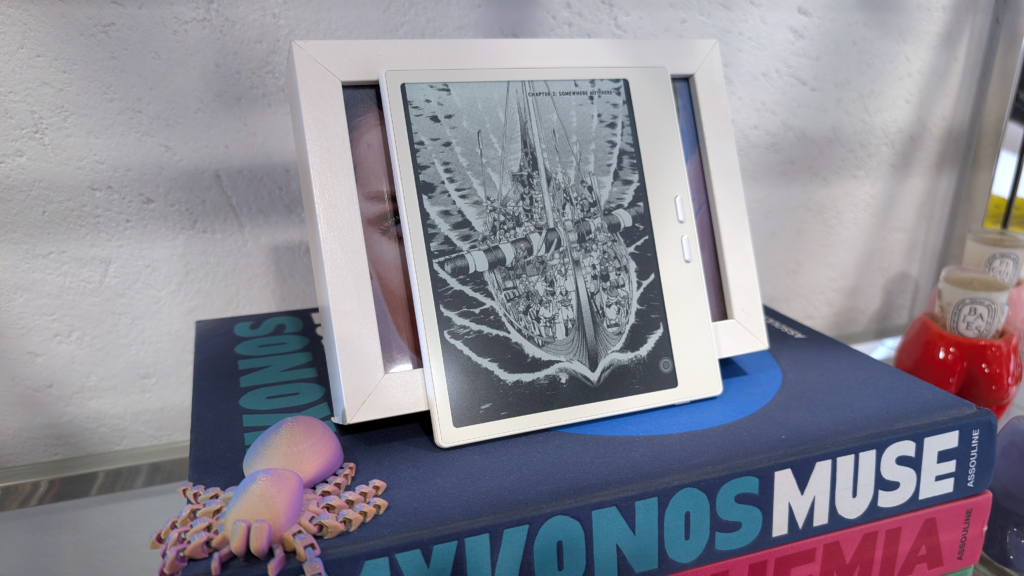
The first person who should consider picking up the Go 7 is the one who refuses to be chained to Amazon or Kobo. They’re both fine book stores, but they both go out of their way to make it as hard as possible to read on anything but their own devices. But with an Android OS, you can just download the Kindle, Kobo, or Google Play Books app and have access to all libraries on one device.
If this sounds like you, but you balk at the $250 price tag, keep in mind that this is the median price for a seven-inch e-reader. In fact, the only Android devices at this size that cost less are the Mobiscribe Origin and the Meebook M7. Mobiscribe seems to be going out of business; its Origin e-reader is only available second-hand, and both devices have inferior specs. In other words, the Boox Go 7 is hands-down the best place to start your Android e-reader journey.
Pros
- Page-turn buttons
- Smooth refresh rate
- Endlessly customizable
Cons
- Very steep learning curve
- Lots of small bugs
- Longer start-up than non-Android devices
| Company | Model | Price |
| Boox | Go 7 | $249.99 |
All that stands between the Go 7 and e-reader glory is the wonky UI and the steep learning curve. If you can get past that, the Go 7 isn’t just hard to beat, it’s the new benchmark for Android e-readers.