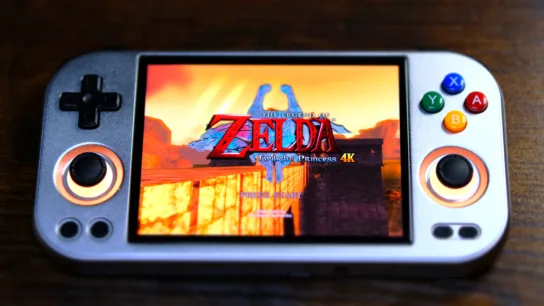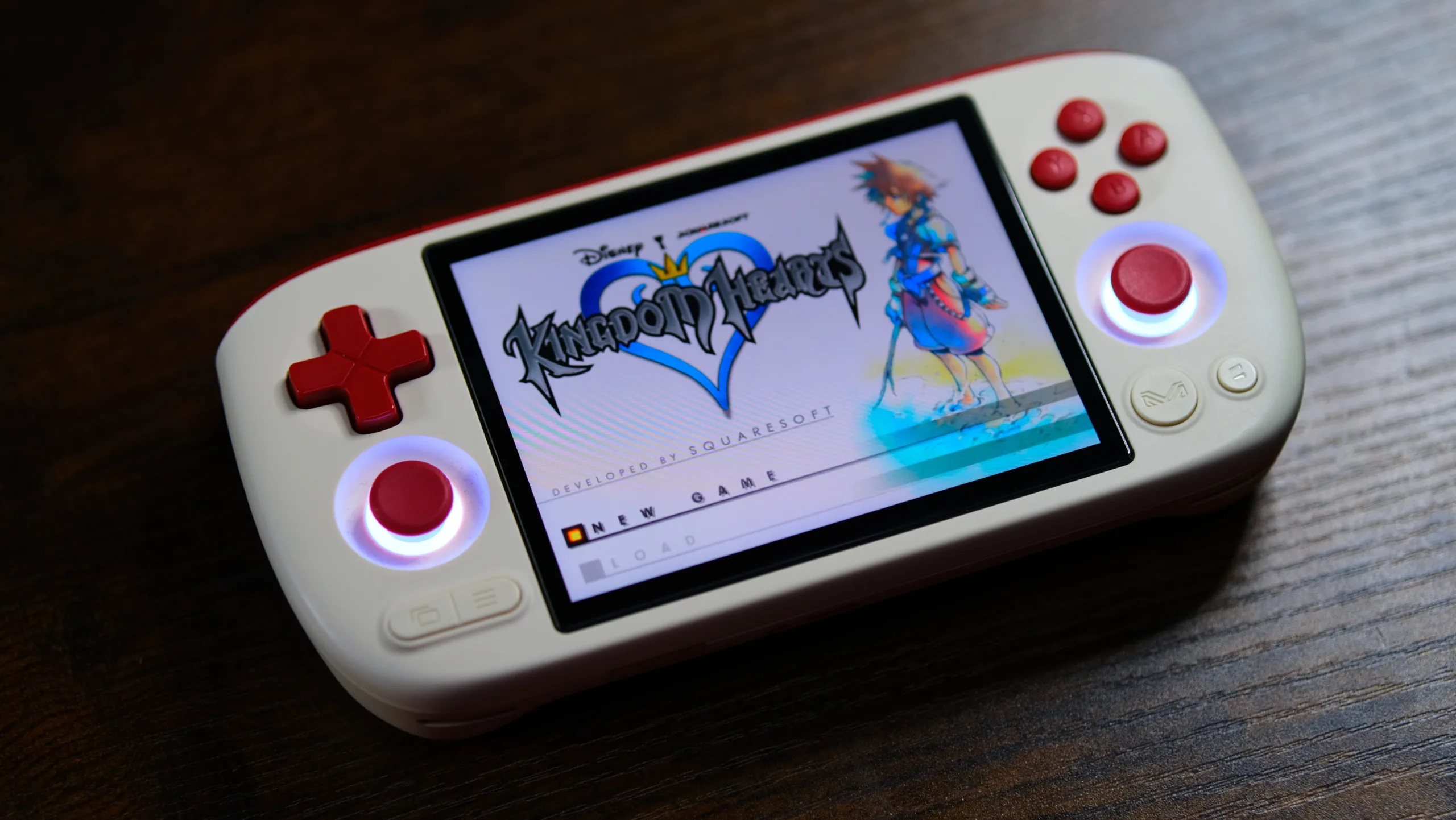

Ayaneo, a company that’s notorious for overpriced gaming handhelds, has decided to test the waters of the budget market with the Pocket Air Mini. It’s an interesting little device that packs a surprising amount of power for its price, but it’s glaringly obvious where Ayaneo decided to cut corners to make that happen.
Specs
| Display | 4.2-inch 1280 x 960 60Hz LCD |
| Processor | Helio G90T |
| RAM | 2GB/3GB |
| Storage | 32GB/ 64GB |
| Battery | 4500mAh |
| Connectivity | Wi-fi 5/ BT 5.0 |
| OS | Android 11 |
Note: This review was written testing the higher-end model that offers 3GB of RAM and 64GB of storage.
You might have seen headlines and video titles stating the Pocket Air Mini is a budget device that can play GameCube and PS2 games. While it’s true the device can play some lightweight games from those systems, how well heavier titles play depends entirely on your personal definition of “playable” (more on this in the PS2, Gamecube, and Wii part of the Emulation section below).
Small, but comfy

Between the rounded design and compact controls, I find the Pocket Air Mini to be very comfortable to hold and play. While I’m not a big fan of ergonomic bumps on smaller handhelds, the ones on the Pocket Air Mini are very similar to what you would find on the Retroid Pocket Mini, which a lot of people love.
The sticks are small, recessed, and lack tension, but overall, they work well and are usable. The placement is very close to the D-pad and face buttons, which is both a positive and a negative. It’s very easy to comfortably reach the sticks, but it also feels like it could be easy to accidentally hit the D-pad or B button during intense gaming moments.
Quiet buttons
I’m happy to say that all the buttons are quiet, including the shoulder and trigger buttons. The face buttons are very small and close together, but in my time with the Pocket Air Mini, I never hit one by accident. My only gripe is that the D-pad and face buttons are too soft. I can chalk it up to personal preference for the buttons, but I did find this to be problematic with the D-pad. When playing Tatsunoko vs Capcom, I couldn’t feel the D-pad moving while performing Hadokens and Shoryukens, even though I did eventually pull them off consistently.
In addition to all of the regular buttons you’d expect, there are also two programmable buttons next to the LB and RB shoulder buttons. These buttons are perfect candidates for setting up hotkeys in your emulators, and are very nice to see on any handheld, especially in the budget category.
Flawed screen
The 4.2-inch screen is fairly large for a handheld this size, and the 1280×960 resolution provides a clear image quality. However, the Pocket Air Mini’s screen has issues you should be aware of before purchasing.
Ghosting

Ghosting occurs when fast-moving objects leave behind faint images from the previous frame, which look like “ghosts.” This is more common in budget devices with low-quality screens, but the ghosting on the Pocket Air Mini is very noticeable. Depending on the game you’re playing, it can be a minor annoyance or borderline nauseating.
Light bleed
Light bleed is when backlighting from an LCD screen leaks through the edges or corners of the display, creating bright spots. In the case of the Pocket Air Mini, it appears to be a quality control issue, since some devices have a little, some have a lot, and some have none at all. I couldn’t capture any significant amount with my camera, but just be aware that you may not win the screen lottery when purchasing a Pocket Air Mini.
Software
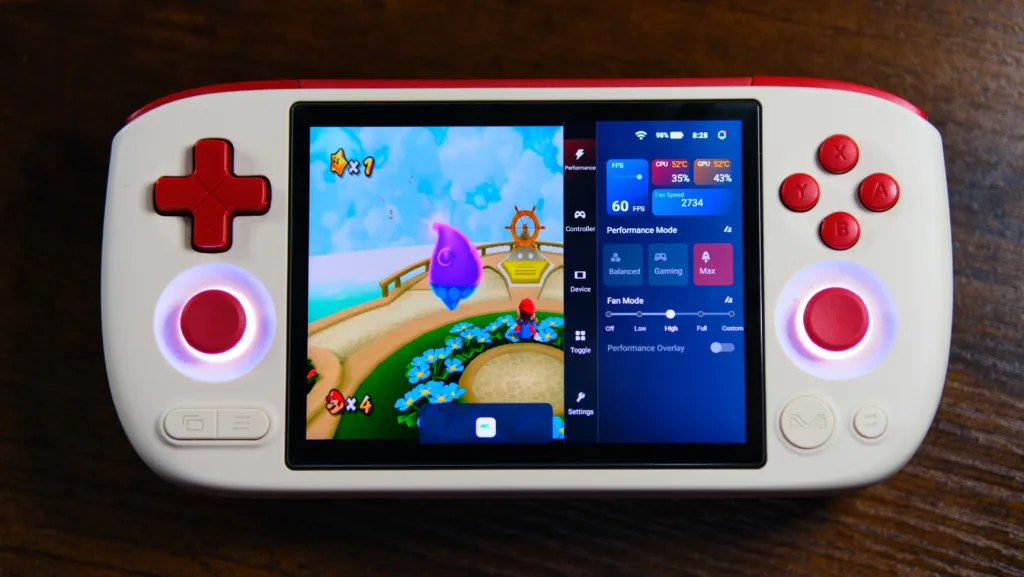
Android is Android, there’s not much to say there, but the Pocket Air Mini offers an Ayaneo button that brings up a quick settings menu similar to the AYN Thor. You can instantly adjust the performance and fan settings, change the ABXY layout, view your CPU and GPU usage, check the thermals, and toggle the performance overlay. It’s simple, effective, and convenient.
Similar to the RG 477m, the OS is locked down, which means you have to jump through some hoops to access save files for emulators like Dolphin or NetherSX2. This won’t really affect most people, but as someone who uses Syncthing to sync save files across multiple handhelds, this is extremely annoying to deal with, and I wish Ayaneo would take notes from AYN and Retroid when it comes to this part of its software.
Fan and thermals
In Max mode with the fan on full, the device stays within 60-65 degrees Celsius even when playing Wii games for extended periods, and I didn’t feel the Pocket Air Mini getting hot, or even warm. The trade-off there is that the fan is pretty noisy.
Using Max mode to play those same games with the fan on the high setting got a bit warmer at 65-70 degrees Celsius, but the reduction in fan noise was well worth it. The fan is surprisingly quiet at this setting, and the difference in heat is minimal. I’d highly recommend using these settings if you plan to push the Pocket Air Mini by playing PS2, GameCube, and Wii games.
For other systems, you can get away with the other performance settings like gaming or balanced, with the fan at low or off, depending on the system you’re emulating.
Emulation
PS1 and below

There will be no problems with any games up to PS1. The 1280×960 resolution works out great for doing a 2x upscale of these older systems, and with the D-pad up top, the controls will feel pretty natural for these systems.
N64, Dreamcast, and PSP

These systems also run great and haven’t given me any problems at 2x resolution. Personally, I think N64 and Dreamcast are the best games to play on this device. Everything I tried from these systems ran smoothly, and joystick gaming isn’t too bad on the Pocket Air Mini.
PS2, Gamecube, and Wii
The Pocket Air Mini is in this weird spot where PS2, Gamecube, and Wii games are a mixed bag. Lightweight games from this category play just fine at a native resolution, and if you don’t mind frame skipping, frame dips, and stutters, other games in this category could be considered playable, but definitely not perfect.
Any game that doesn’t run well with default settings kinda turns into it’s own rabbit hole as far as tweaking goes, and I’m sure someone more patient than me can get some of the higher end games to work, but I don’t personally think it’s worth the effort when there’s so many other handhelds that can run these games with no adjustments. It’s still very impressive to see these systems run on a $100 handheld, though.
One revision away from perfect
The Pocket Air Mini has a lot going for it, and for Ayaneo’s first budget-friendly device, they got a lot of things right. The look, feel, and build quality are all exceptional. The device is comfortable to use, and the buttons are quiet, but the ghosting, light bleed, and mushy D-pad are holding this thing back from being the budget handheld king. A simple V2 revision with a better screen and sturdier rubber membrane for the D-pad would go a long way here, and I hope Ayaneo does it, because no other handheld offers this much power and fits in your pocket at this price.

Pros
- Lightweight PS2 and GC emulation for $100
- Pocketable and comfortable
- Quiet buttons
Cons
- Poor quality screen (ghosting, light bleed)
- Mushy D-pad
| OEM | Product | Price |
| Ayaneo | Pocket Air Mini | $89.99 – $99.99 |
The Pocket Air Mini brings Ayaneo’s premium build quality to the budget category and strikes a balance between price, portability, and performance extremely well, but has a sub-par screen and D-pad that hold it back from being an easy recommendation.