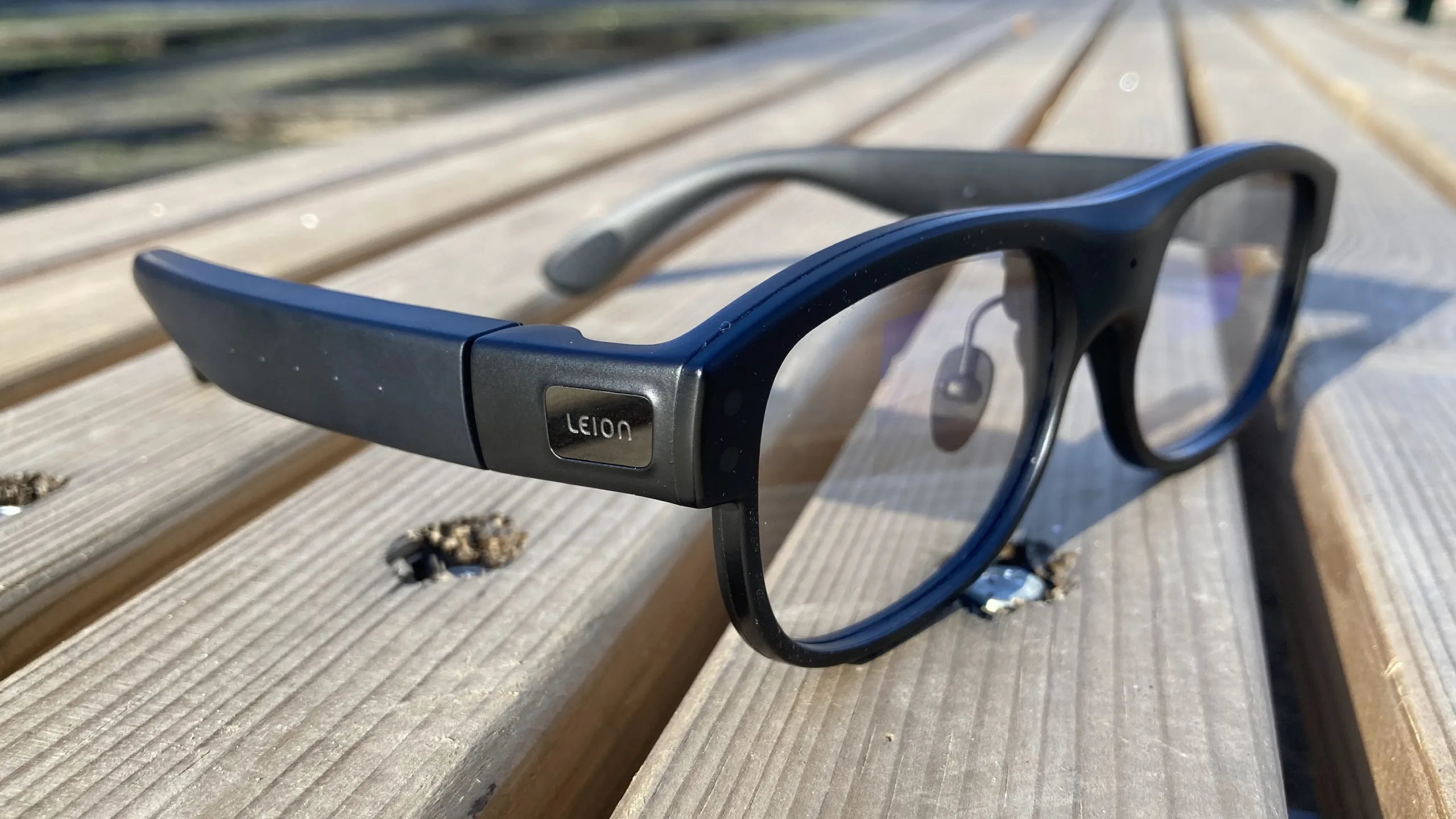

As explained in Douglas Adams’ Hitchhiker’s Guide to the Galaxy, the Babel fish is a small, yellow, leech-like being with profound telepathic powers, including the ability to instantly translate any language into one’s own after being inserted in one’s ear. Modern technology isn’t quite on that level (and may never be), but language translation has been one of the most fascinating and useful aspects of what we now call AI ever since Google Translate adopted a neural network processing structure over a decade ago.
In that light, I was extremely excited about testing the Leion Hey2 translation glasses. You see, after receiving an opportunity to complete some contract work in Portugal starting in mid-2025, I worked to learn the language, but there was a problem: in some ways, I’m a bit of an idiot. Or, at least, there’s a bug in my mental processing software somewhere in Wernicke’s area (the brain’s language comprehension center), and while I’ve learned to speak mediocre, transactional Portuguese, I still have considerable trouble understanding it many months later.
Availability, price, and specifications
Debuting at CES 2026, the Leion Hey2 AR translation glasses list at $549 MSRP, or €599 in some alternative European markets. Until the end of January, pre-orders will include a $50 discount and come with a pair of clip-on sunglass lenses and 1,200 Pro Translation minutes. They should ship in about a month. We’re still awaiting details on the cost of the somewhat-optional subscription.
| Design | Classic Browline Frame |
| Material | Piano lacquer finish and matte sandblasted frame |
| Hinge | Continuously variable rebound spring |
| Weight: | 49g |
| Hinge to hinge distance: | 151mm |
| Bridge width: | 46mm |
| Temple length: | 167mm |
| Display optics: | Binocular (two-sided) waveguides |
| Resolution: | 480 × 640 |
| Field of view: | 25° |
| Optical clarity (light passthrough): | >90% |
| Display type: | Green Micro LED |
| Peak brightness: | 1500 nits |
| Battery life: | 6-8 hours (glasses), up to 96 hours (with case) |
| Charging: | Magnetic (glasses), USB-C (case) |
| Processor: | BES 2800 6nm SoC |
| Controls: | Physical button × 1, touch slider × 1 |
| Bluetooth version: | BLE 5.4 |
| Wi-Fi: | 2.4GHz/5GHz |
| Warranty: | 12mo (glasses and case), 30 days (accessories) |
Design, comfort, and style
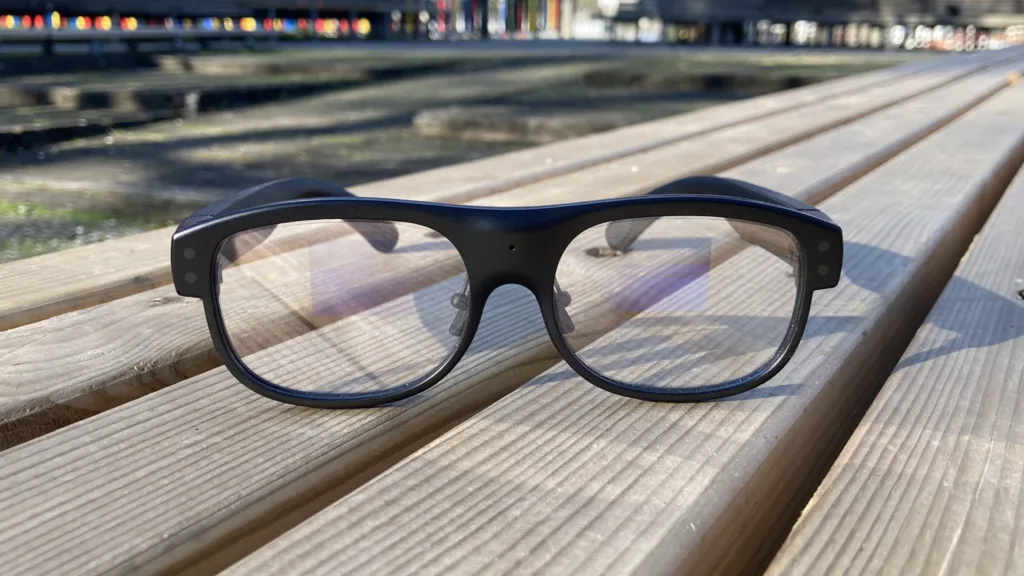
As manufacturers have continued to push smart glasses upon the market, I’ve never been interested in wearing a bulky, goofy-looking pair of spectacles with a camera plastered on the front (remember “glassholes”?). So, when I first unboxed the Leion Hey2, I was pleasantly surprised to see they’re not quite as prominently thick as more well-known models like the Meta Ray-Bans. To be frank, the construction is excellent: They look and feel like a premium piece of kit, and they’re even moderately stylish. Wearing them in public, I never felt like anyone was staring awkwardly at me (any more than usual, that is) — in fact, when I mentioned them to a few people, they didn’t even seem to realize I was wearing electronics on my face. They’re well-balanced, comfortable, and don’t cause any kind of physical strain even when worn for multiple hours.
Have smart glasses finally matured?
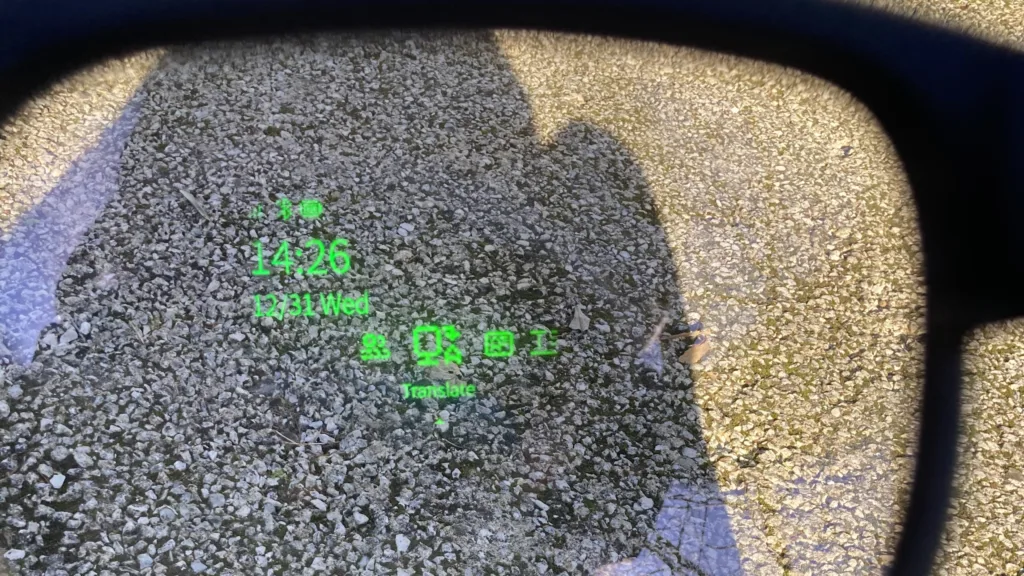
The front-and-center waveguide display positioning takes some getting used to, but it definitely helps you focus on the speaker in front of you
While they still have limited popularity, smart glasses have been around for years and have seen quite a bit of refinement. It’s clear that Leion has taken inspiration from the implementations that came before, and I’m happy to report that you don’t need a serious technical background to get these up and running.
Connection and setup were a breeze — just make sure to connect them via the iOS or Android app instead of your device’s Bluetooth menu — and operation is pretty much foolproof. The app offers a straightforward, convenient visual representation of the various modes and main settings, as well as some in-depth configuration options you might never need to touch. For the most part, though, all the critical controls are right there on the glasses, accessible via a touch interface on the right temple. Slide forward or backward to select a menu item, tap to select, and swipe down to exit a function or return to the main menu.
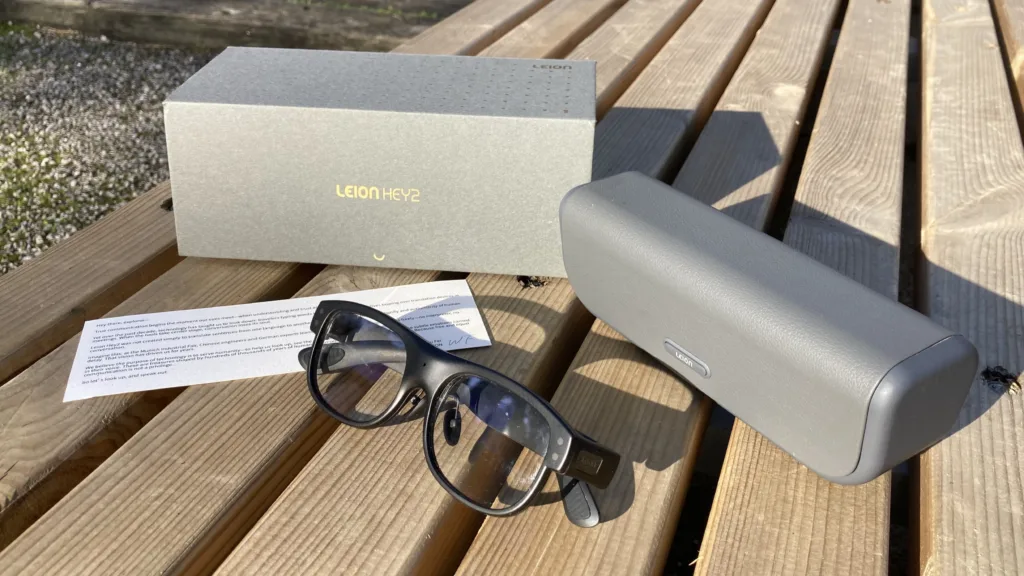
Battery life is generally great, too, though I’m not sure the glasses would hold up to the manufacturer’s all-day claim without popping them into the (extremely premium-feeling) charging case at least briefly. Then again, you wouldn’t want to walk around with these actively turned on for the entire day. This isn’t by any means exclusive to the Hey2, either; you’d likely experience some eye strain with any waveguide display shining green light right in front of your eyes for more than an hour or two at a time. That said, the eye strain I noticed during the first few uses was reduced after getting used to the display. With practice, I’m sure I’d be able to manage a 45-minute meeting or lecture nonstop without getting a headache. For what it’s worth, it’s easy to adjust the brightness and location of translated text, with lower, middle, and upper placements as well as four brightness levels.
Of course, fit and finish only matter if a product works. That’s where it’s important to be clear on what a pair of translation glasses, like the Hey2, claims to do. They’re positioned largely as an academic and professional tool with a 360-degree listening mode front and center that can pick up and distinguish between audio from multiple directions and speakers. There’s also a face-to-face listening mode for one-on-one conversations, as well as an AI assistant that can answer any general questions you might have (with limitations). In any case, you can manually switch between head-on audio listening and 360-degree pickup in the settings. You can also set the captions to the entire conversation over the full screen, or to just display each sentence briefly or two lines at a time. It’s a relatively straightforward array of settings, and tweaking it slightly improved usability and reduced strain over time.
So, do they work?
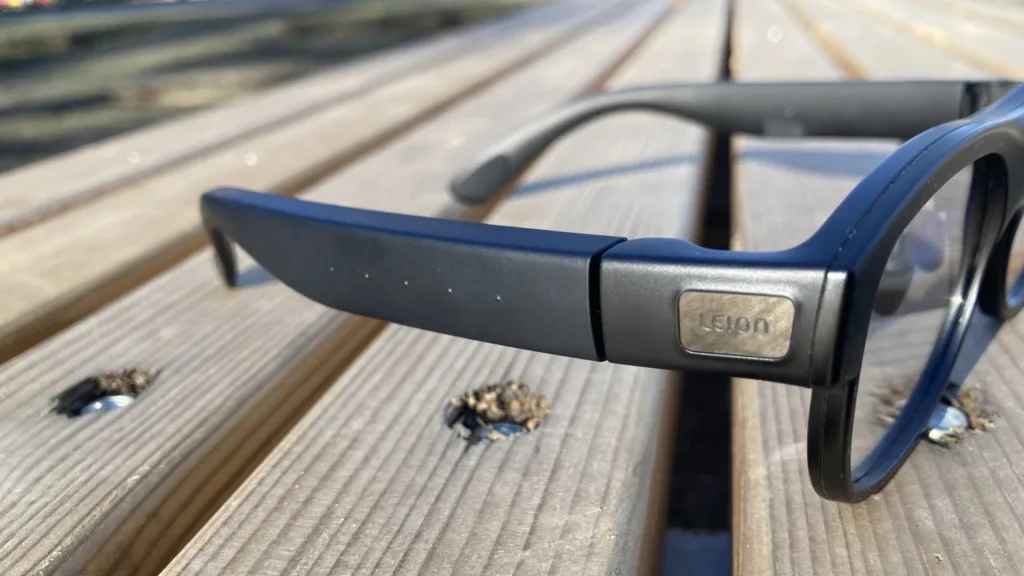
The bumps on the right temple mark the touch control section. Swipe forward or backward to select menu items, swipe down to go back one menu, tap to select, or hold to summon the AI voice assistant
I was, admittedly, a little skeptical going in, but the Leion Hey2 fulfilled their stated message surprisingly well. In particular, they do an excellent job of translating speech from practiced, intentional speakers. Their claims of effective translation of business meetings and lectures hold up, and the latency is just low enough that you shouldn’t have any problems following the discussion. Similarly, they do a fantastic job deciphering foreign-language radio broadcasts. One unexpected but extremely welcome benefit is their ability to quickly and reliably translate announcements over public address systems; if you’re in a foreign country and need to understand what’s coming over the speakers at the train station, the Hey2 can help ensure you understand the precise updates. I even successfully utilized them to make some updates to my local bank account, a task for which I had to recruit a local Portuguese friend’s help months ago. I don’t do much public speaking these days, so I wasn’t able to test the teleprompter feature in a real-world scenario, but uploading a test script was intuitive, and the service seemed to work effectively.
I mostly used them in 360-degree listening mode, but the face-to-face mode opens up some additional possibilities. This more focused mode places both the original foreign language and the translated results right in front of your eyes. What’s more, I discovered that when you connect a pair of Bluetooth headphones to your phone alongside the Hey2, you can speak in your native language and have your own words translated directly into audio. Both of these features have proven helpful in my learning process, both in sitting at home casually practicing new phrases and pronunciations, as well as preparing what I planned to say en route to the bank, grocery store, train station, and other locales where English as a lingua franca wasn’t an option (and it rarely is in the city where I live).
Where the Leion Hey2 could use improvement
Naturally, the Hey2 aren’t magic, and can’t replace actual fluency when living in a foreign country long-term. I had hoped they would aid in social situations, but in settings with multiple concurrent speakers, they tend to fall short in isolating single speakers. The smart glasses also proved difficult to use in a moderately noisy bar, picking up multiple conversations in 360-degree mode, and failing to work consistently in face-to-face mode. They also struggle to translate the thick accents and heavily affected dialects of some of my neighbors, especially the older residents near where I live. While the latency is impressively low, you’ll still catch yourself pausing to read the screen in casual conversation situations that typically have a quick back-and-forth cadence.
I also wouldn’t recommend putting too much stock in the AI assistant tool, at least not yet. Granted, that wasn’t a big draw for me anyway, and it’s not a major selling point of the Hey2 either. Plus, it’s the kind of thing that could theoretically be addressed in future software updates. But it doesn’t offer much outside of moderate general knowledge, and it can’t relay real-time information. For example, it can tell you who won the 1980 NBA Finals, but not who won the game last night. It also didn’t help much when I asked for reviews of or directions to local pubs and restaurants, and I wasn’t able to put any kind of navigation to the test.
How the Leion Hey2 stack up against other translation tools
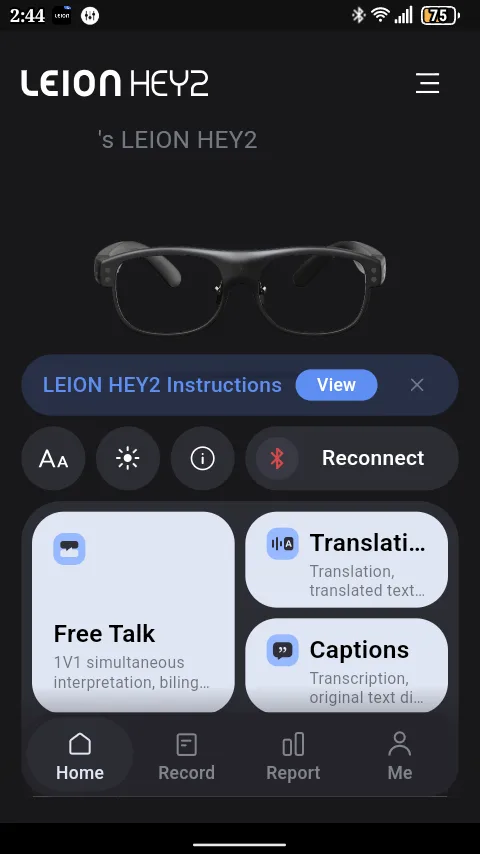
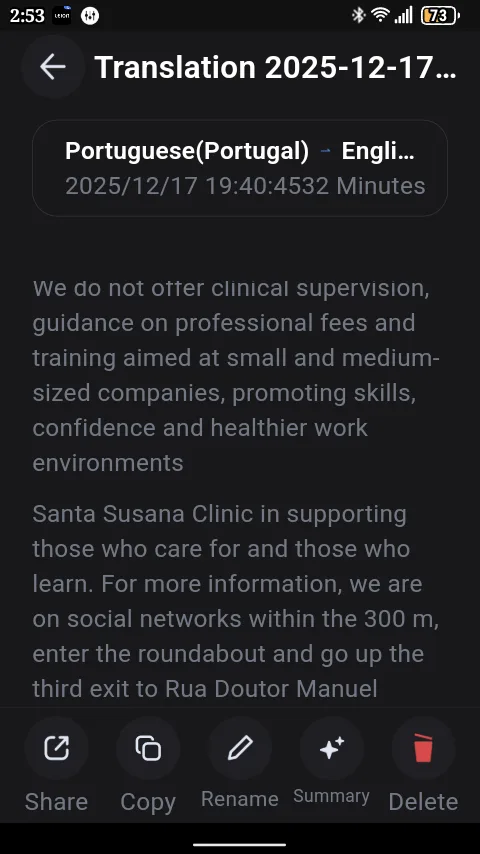
Conveniently, you can access all your stored translations through the app, as well as AI summaries of them
The benefit of translation glasses is clear: they put the info you need right in front of your eyes without clogging up your auditory processing. In the very brief testing I’ve done of translation earbuds, I’ve been immediately struck by the difficulty of dealing with both native- and foreign-language audio coming at me simultaneously. Your results may vary, but I’d have significant difficulty deciphering anything consistently using audio translation devices.
Translation apps can still be useful, and in different ways than smart glasses. Everybody knows about Google Translate, for example, and its Conversation Mode makes it clear to both parties that there’s an active translation happening, so both should have a little patience. Translation glasses like the Hey2 place significantly more responsibility on the wearer; my Portuguese-speaking accent is passable enough that people here, deep in the country, immediately assume I’m a fluent speaker, though that’s also because people simply never default to speaking my native language here.
In that light, there’s definitely a learning curve with the Leion Hey2. If you’ve never used translation glasses before, you’ll spend at least a few days getting used to processing the visual language and converting it to words in response. But keeping with the true purpose of wearables, smart glasses make for a much more seamless experience, especially in situations where an additional translation tool like mobile apps or standalone translation devices can be clunky or unprofessional.
Here’s the rub
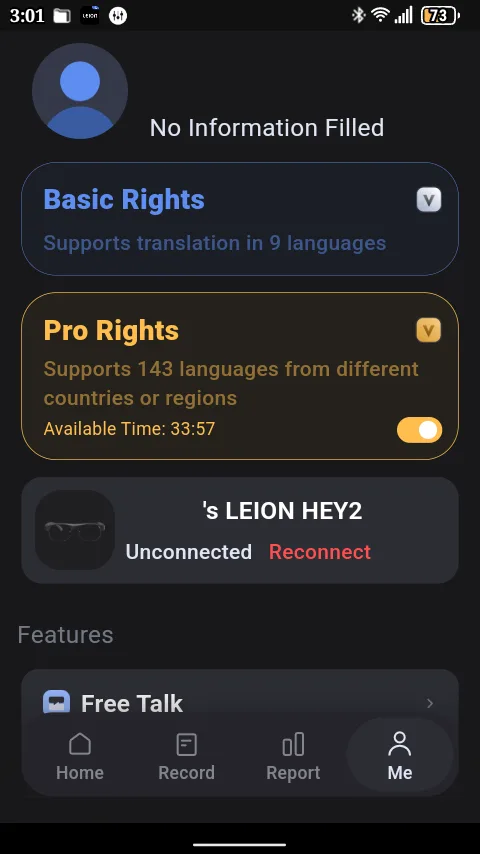
After extensive testing, it looks like my Pro Translation minutes are almost up. Bummer
Nothing in life is free, least of all fancy wearable tech. And Leion is quick to point out how the Hey2’s Pro Translation feature leverages powerful software and novel hardware for accurate low-latency translation of over 100 languages and dialects alongside powerful noise handling. The one concern I have is that after the pre-order benefit allotment of 1,200 Pro Translation minutes runs out, the Hey2 drops to supporting just 9 “core languages,” without the enhanced performance and noise handling of the Pro service. At that point, you’ll need to subscribe to the premium service to retain access to those features.
While the company assured me “the device remains fully functional” after the Pro minutes dry up, it’s a bit of a letdown to learn that you’ll have to spring for a paid plan just to get the absolute most from a device you already paid hundreds for. The takeaway here is to make sure you’ll actually get significant use out of the Hey2 in the long term. For professionals who need peak performance in the boardroom, a small subscription cost won’t break the bank. Casual users, though, might have to decide if they’re OK with possibly being left with support for just 9 languages at some point in the future.
Should you buy the Leion Hey2 translation glasses?
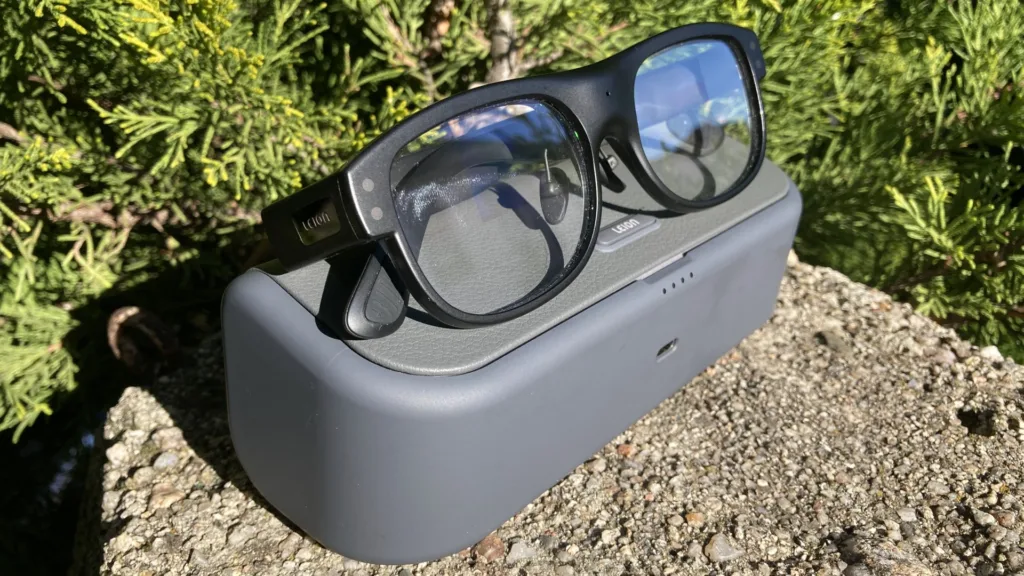
The Hey2, and in my opinion, any translation glasses, can’t replace actual language learning if you’re moving to another country. But for travelers and professionals who need a quick fix for foreign language interpretation, they perform admirably. They struggle in many social situations, especially with regional dialects, but work especially well at translating the words of practiced individuals who are trained to speak clearly and professionally. And while they’re bulkier than typical glasses, they’re just sleek enough to pass as everyday eyewear in most situations.
With a $549 MSRP, the Leion Hey2 aren’t cheap, but they are in line with the industry’s current offerings. They compete with the new Mira Glasses from the enterprising engineers who turned a pair of original Meta Ray-Bans into facial recognition glasses last year, and they’re significantly cheaper than the latest Ray-Bans Display model. Of course, the lack of an integrated camera contributes to better overall security, worldwide legal compliance, and a generally lower creepiness factor than glasses with integrated image and video capture. Incidentally, Leion Hey2 pre-orders for the next month will get $50 off, in addition to a clip-on sunglasses lens and 1,200 minutes of Pro translation service.
Ultimately, the Leion Hey2 do what they claim, offering low-latency and high-accuracy translation, especially in professional and academic settings. They can even prove to be a valuable tool in your journey to learn a new language, whether you’ve moved overseas permanently or just want to practice a few key phrases to impress your friends in their native language. They are a bit of an investment, especially if you want to get the most out of their Pro Translation service. But they’re priced right around their closest competitors and serve as a good example of smart glasses having finally matured, and found at least one niche where they’re extremely useful for the right user.
Pros
- Great-performing translation abilities
- A wide range of pro-grade features, like AI transcript summarization
- They hardly look or feel any bulkier than normal glasses
Cons
- A notable learning curve
- Subscription required to maintain full access to Pro Translation features
- Wearable smart display tech costs quite a bit
| OEM | Model | Price |
| Leion | Hey2 | $549 |
Positioned as the first global AR translation glasses, Leion Hey2 focus on audio for a privacy-first approach to cross-cultural communication. Their low latency, reasonable customization options, and professional- and academic-focused feature set make them a fascinating product, if you can stomach the price.