
It’s not an exaggeration to say that the handheld gaming market has exploded over the past few years. And while big shots like Valve and Nintendo have been blazing the trail, there are a slew of companies following in their tracks, driving competition and pushing down prices. No other company exemplifies this trend quite as much as Mangmi, which wasn’t the first with a sub-$100 Android device. It was simply the first to do it right with the Air X.
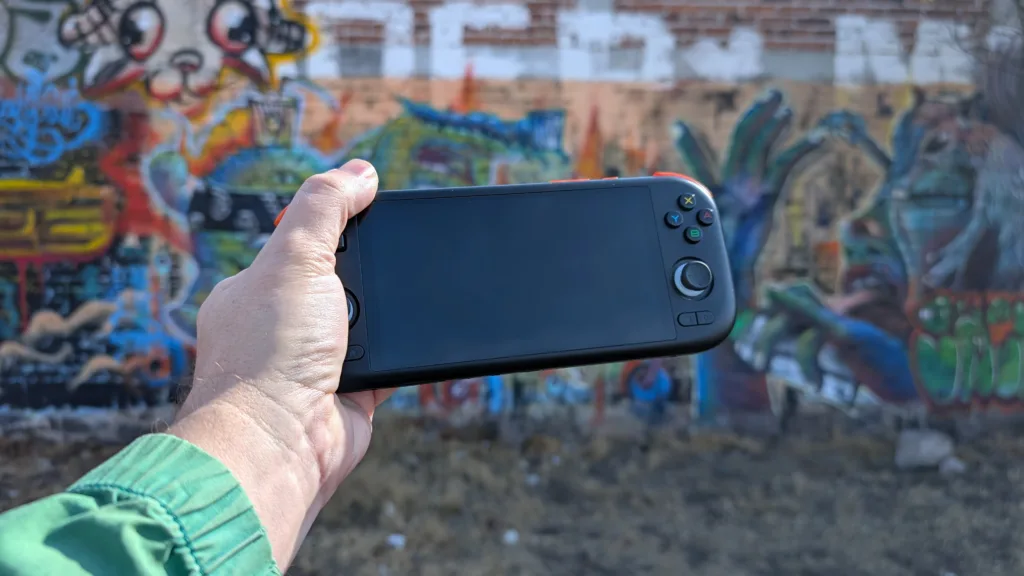
Price, specifications, and availability
You can pick up the Air X directly from Mangmi’s site for $90, or, if you’re willing to share your email, you’ll receive a code to get $5 off your order. The only other place I’ve seen the Air X being sold is on AliExpress, but its prices are higher across the board, so you’re almost certainly better off picking one up directly from Mangmi.
I won’t get too deep into the specification weeds here, but the Air X is undoubtedly the best-specced Android handheld for less than $100. While it doesn’t have an OLED screen, the 5.5-inch display is a full 1920 × 1080 and has a 60 Hz refresh rate. Inside, it offers an octa-core Snapdragon 662 chip that runs at up to 2 GHz and has 4 GB of RAM. On paper, these aren’t the kind of specs to blow your mind, but you’d have to pay at least $150 to get silicon this good and a screen this big from any other brand.
Specifications
| Display: IPS, 5.5″, 60 Hz, Touch screen | Resolution: 1920 × 1080, 16:9, 400 PPI |
| Processor: Snapdragon 662, 2 GHz | RAM: 4 GB LPDDR4X |
| ROM: 64 GB, SDcard slot | Connectivity: Wi-Fi, Bluetooth, USB-C OTG, 3.5 Stereo |
| Battery: 5,000 mAh | Weight: 286 g |
| Stereo speakers | Active cooling |
The Air X design plays it safe
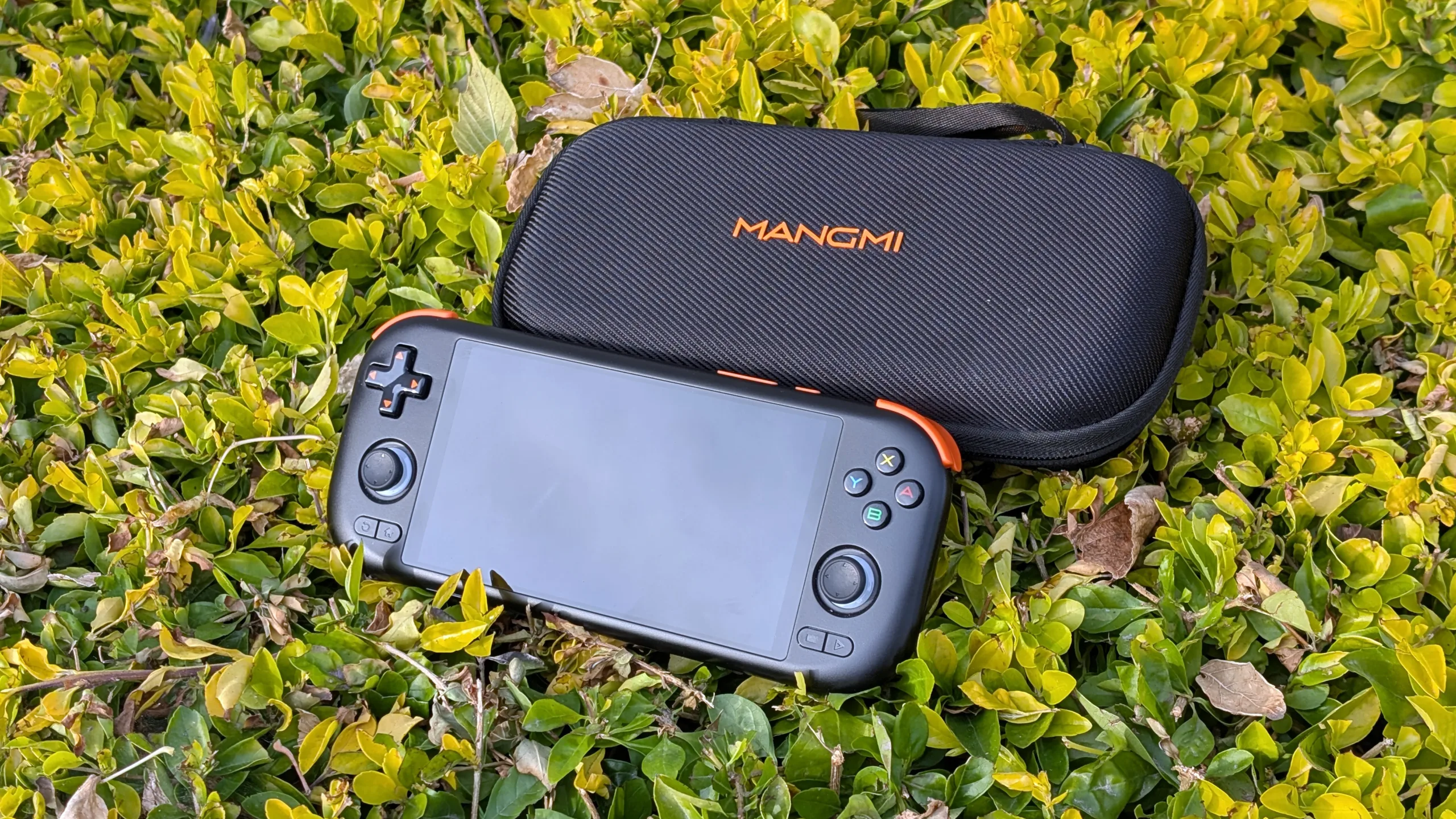
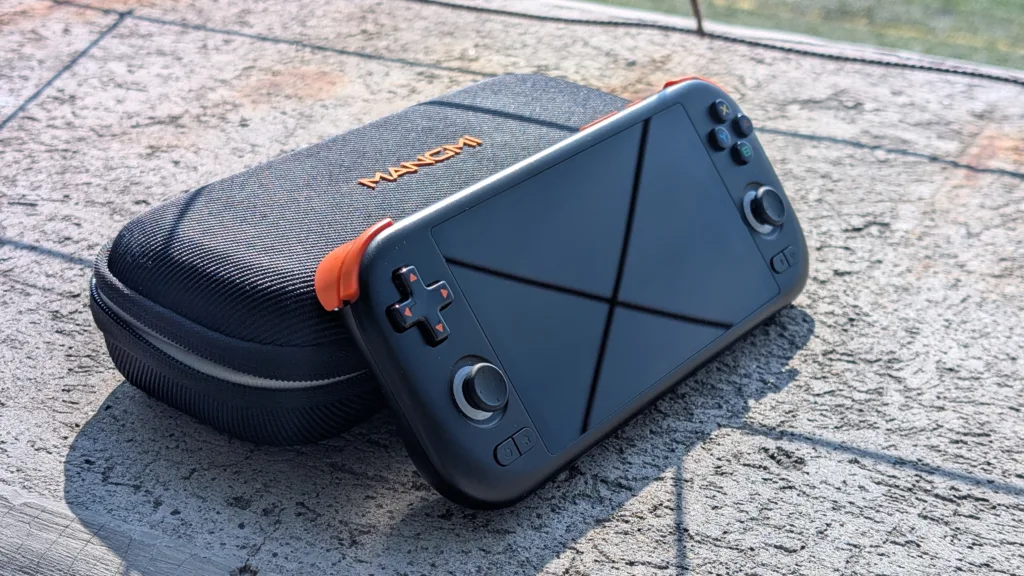
From a design perspective, there’s nothing revolutionary or new about the Air X, and that’s a good thing. Its 16:9 screen, coupled with the horizontal layout, is a classic design by this point, having been popularized by the PSP 20 years ago. Likewise, its button layout is the same as the latest Retroid Pockets, with symmetrical Hall-effect analog sticks (with L3 and R3) below the D-pad and ABXY cluster. The shoulder buttons are stacked, with the Hall-effect L2/R2 buttons having a satisfying flair to them (though they can be too easy to accidentally trigger). There are also Back, Home, Select, and Start buttons below the analog sticks, as well as a volume rocker and a power/sleep button on the top edge.
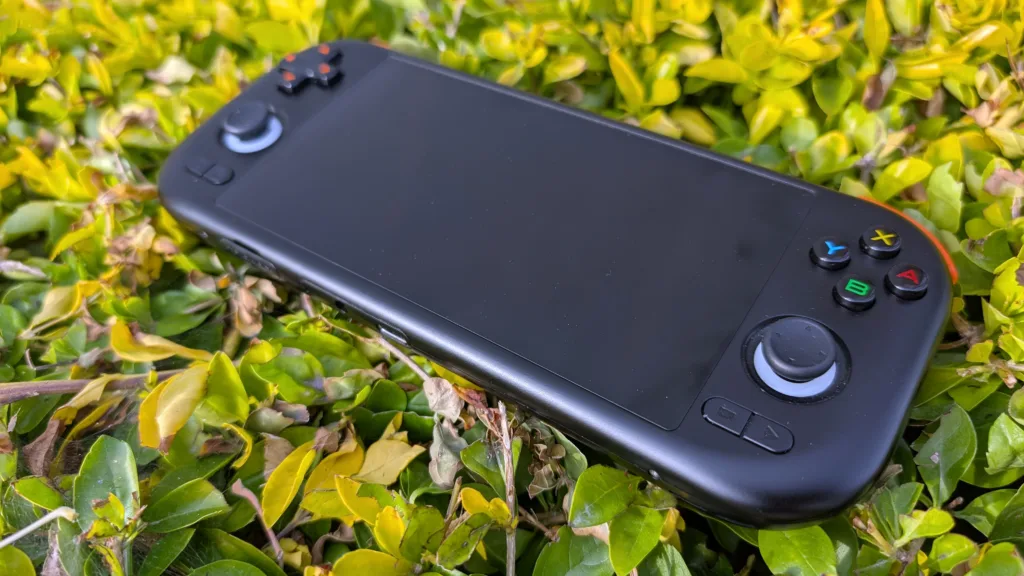
Pressing buttons feels good. They all have a satisfying tactility to them, which I appreciate. While the ABXY buttons feel nice to press, they are a bit too clicky, to the point that my spouse doesn’t appreciate me playing while she is trying to sleep. The D-pad doesn’t have this problem, but it’s a bit too glossy, and even though it has a slight concavity to it, there’s not enough of a dip for your thumb to get a grip on anything.
The shell is made out of matte plastic (available in black, white, or gray) that looks nice but doesn’t feel “premium.” Some parts of the body ring a bit too hollow when you tap on them with your finger, and there’s a faint rattle when you give it a shake. For all that, it feels nice to hold most of the time. The edges are ergonomically shaped, and while the Air X isn’t heavy, it does have just enough heft to not feel like a toy. Having said that, kart racers are still probably going to give you claw hand. I wouldn’t mind having a bit more to hold onto.
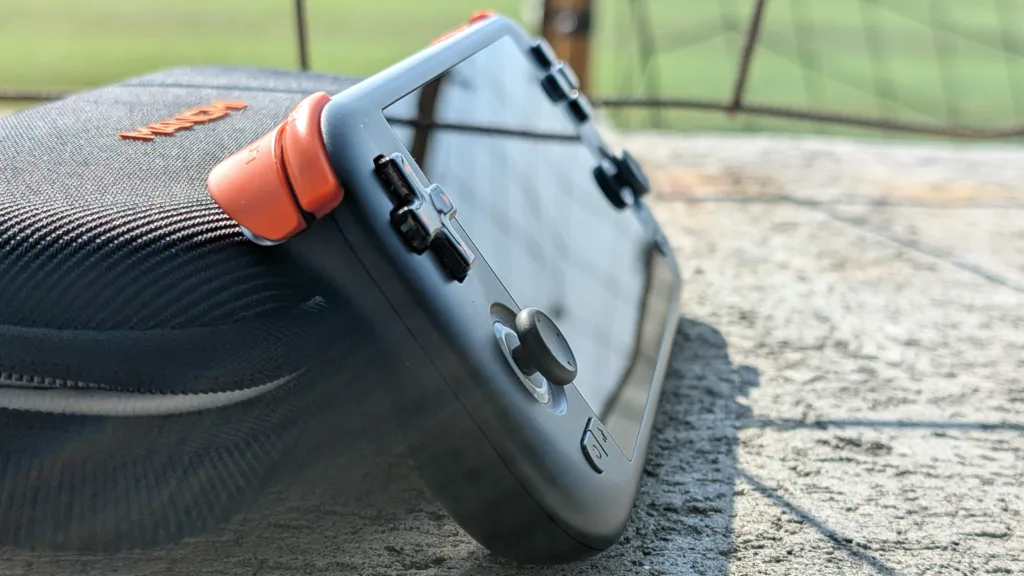
Given that the Air X isn’t really a pocket device, a bit more girth on the grip wouldn’t really take anything away from it. It can fit in one of my pockets, but I feel much better keeping it in the first-party hard case when I’m taking it out of the house. I got on the Mangmi train on day one of the pre-order, so I got mine for free, but it’s definitely worth the $15 extra. However, I will say that the fit can be too snug at times, since I often have to upend the case to get the Air X out.
Software included, but you’ll probably want to roll your own
The more time I spend with this handheld, the happier I am with my purchase. I did have some trouble getting things to work early on, but digging around in the settings and getting my hands dirty has resolved almost all my problems. In fact, the more I customize my setup and dial in my settings, the better things run, but I recognize that some people don’t want to muck about with all of that and just want to play some games as fast as possible. To that portion of the retro gaming population, I would recommend another device like an Anbernic RG35XX H or Trimui Smart Pro, which will be ready to go out of the box.
The Air X doesn’t come preloaded with any games, but it does come preloaded with Android and a bunch of software (Chrome, Google Play, general utilities, and a bevy of emulators). It also comes with its own frontend, but I’ve had mixed results using it. The primary emulator backend behind Mangmi’s launcher seems to be a proprietary fork of RetroArch, and Mangmi neglected to preprogram any button layouts. This isn’t a big deal, and it’s easy to fix, but it’s one more thing to take care of before you can get to the business of playing games.
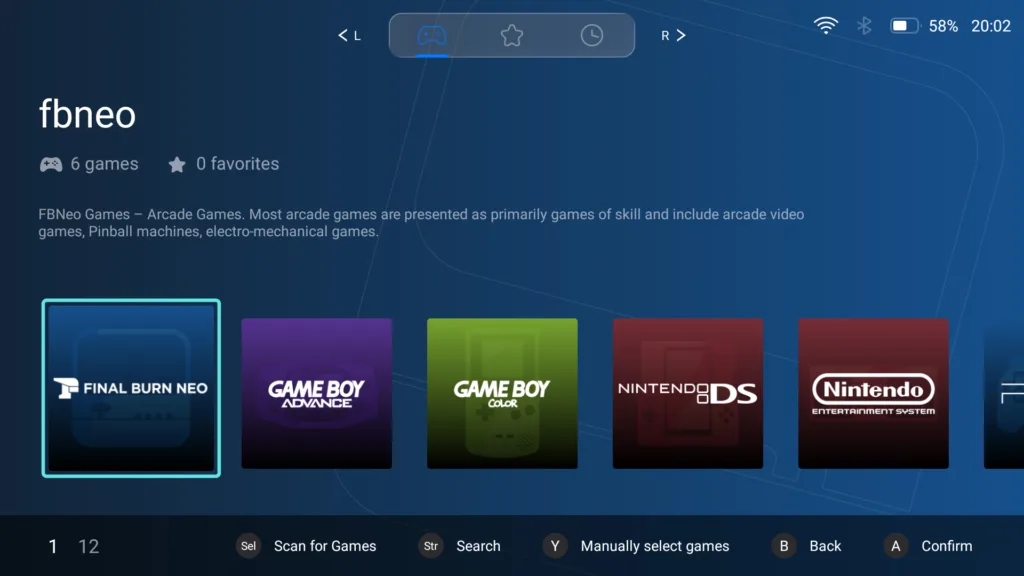
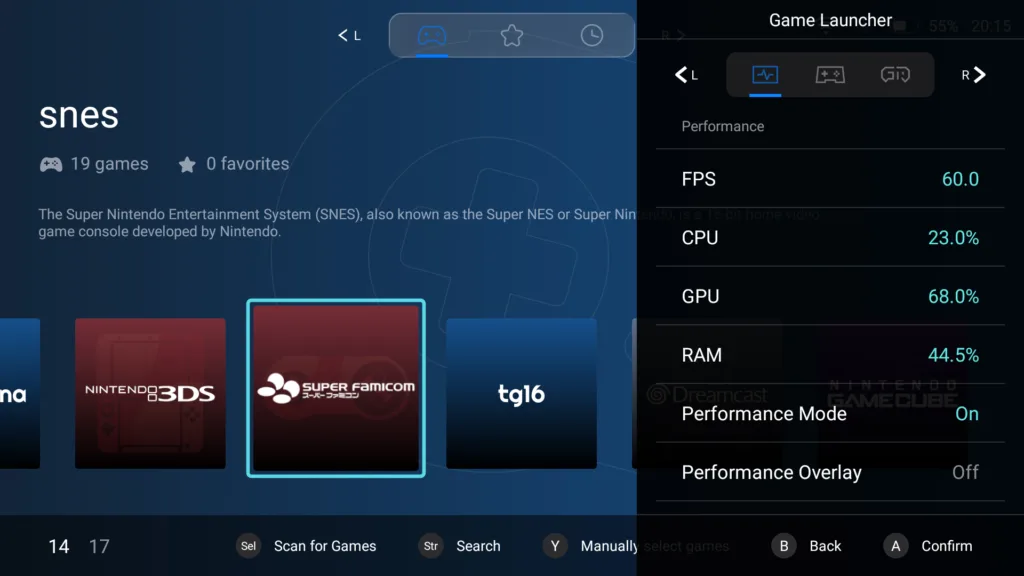
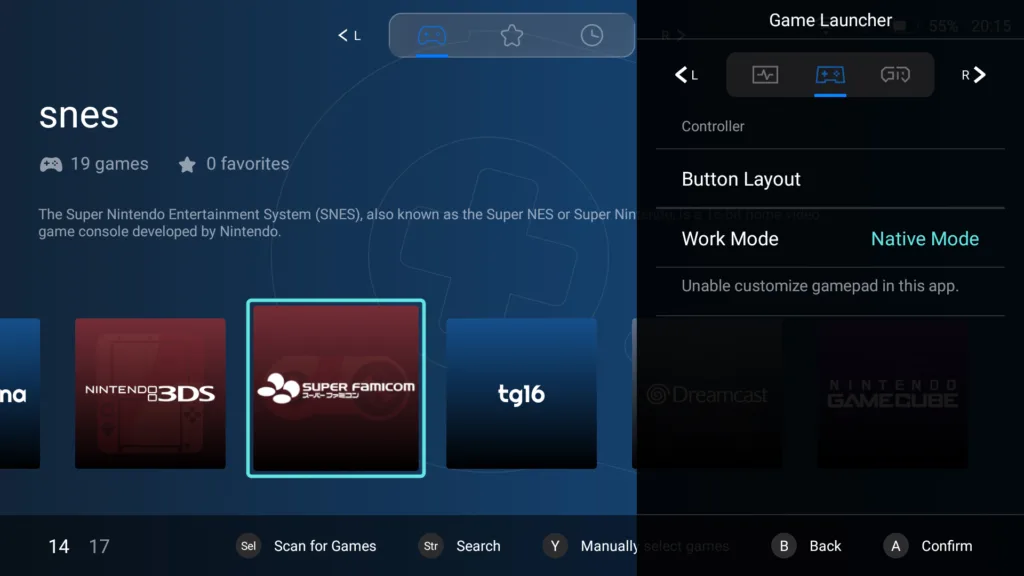
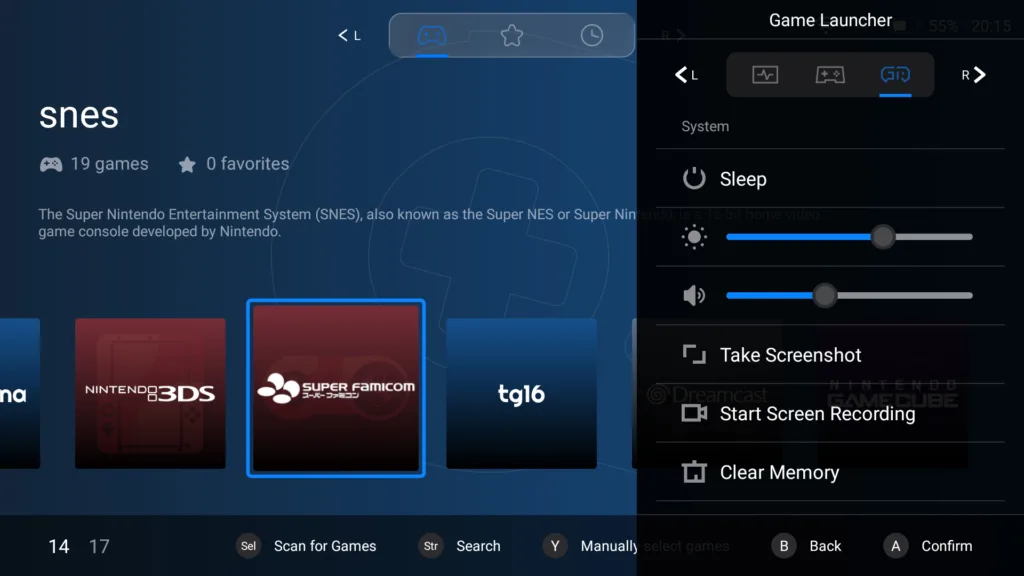
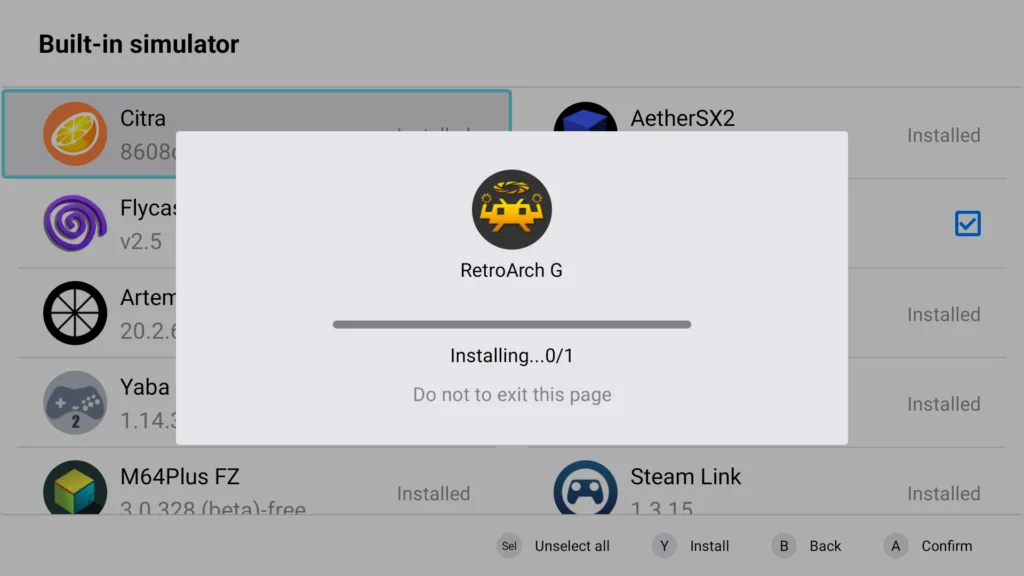
Even though Mangimi’s RetroArch mostly works, I found it had some niche compatibility issues. For instance, I was really excited to use the gyro sensors on the Air X to play WarioWare: Twisted! However, no matter what I tried, I couldn’t get it to work with the included RetroArch, so I ended up downloading and installing a clean version from Libretro’s GitHub page, and now the gyro works like a charm.
You don’t need a frontend, but if you want one, I recommend you get something other than what the Air X ships with. One of the biggest issues is that there isn’t an intuitive way to change which emulators it uses to play a system, so if that’s important to you, you’re better off switching frontends or just not using one altogether. It’s not a perfect solution, but I’ve had a lot of success with EmulationStation Desktop Edition on my Air X.
The Air X packs in a lot of emulation for less than $100
The Mangmi Air X can play anything from the 5th generation or earlier, and a good bit of 6th-gen hardware to boot. You can load up and run Wii games, but the frame rates are garbage, and the games stutter too much to be enjoyable.
1st–5th generation
With the exception of Sega Saturn (which is a pain in the ass to emulate), I run everything up to the N64 and PlayStation on RetroArch without any problems. I have run into a few shaders that will crash my game, and I’ve had to tinker with which core to use, but really, that’s par for the course with RetroArch. For Saturn games, I didn’t have the patience to build my ROM from the ground up, but I did have some luck using the pre-installed version of YabaSanshiro 2. Although the 2-by-2 button layout of the Mangmi Air X doesn’t really lend itself to the 2-by-3 button layout of the Saturn controller. I wouldn’t recommend the Air X for a Saturn die-hard.
6th generation
The home consoles of the late 90s and early 2000s are a mixed bag. On the one hand, there isn’t really an emulator for Xbox, so that’s right out. On the other hand, Dreamcast runs like a, well, dream, right out of RetroArch. In the middle of both of them are GameCube and PlayStation 2, which both work, though with mixed results.
On the Nintendo side of things, the Air X can run anything Dolphin can emulate, but not every game is going to run well. Super Mario Sunshine is slow and stutters. It’s playable, but it’s not very fun. Windwaker runs a little bit better, but it’s hard to know when your framerate is going to suddenly drop below 20. Then there are games like Viewtiful Joe, which I didn’t have any problems with. You can tweak Dolphin’s settings to get a little bit more quality, but not a lot, since the GameCube pushes right up against the limits of the Air X.
Likewise, Sony’s PlayStation 2 is pushing the Air X hardware to its limits, but it is a bit more demanding than the GameCube; thus, nearly every game I played (using the AetherSX2 emulator) suffered from some form of slowdown, mostly stemming from too much happening on screen. Still, I was surprised by how much I could play and how playable it was. Kingdom Hearts, for instance, was actually pretty enjoyable, as was Katamari Damacy, though both suffered from some dropped frames from time to time. Likewise, Oneechanbara (don’t judge me) ran really well unless there were too many zombies shuffling around on screen. Just like with GameCube, you’ll have to find the games that work for you and play around with the settings until you get them how you like.
Portable consoles
The Air X has no problems with any portable console up to the PSP, and it needs to be said that if you want to emulate the PSP, there is no better bargain on the market than the Air X which has the same general form factor as the PSP and offers enough horsepower to throw some upscaling and shading on top while still pushing 60 fps. I did all of my testing with the PPSSPP core via RetroArch and the standalone emulator.
Nintendo DS games also run really well on this device, although you’ll have to make some compromises with the dual-display output. I’m not really a fan of tiny video output, so my compromise was to push one screen all the way to the left and place the other screen, slightly smaller, on the right. It’s certainly no AYN Thor when it comes to exemplary dual-screen play; it feels unbalanced, and it’s not the ideal setup, but it does work, and all the games I tested run fine. It should be said that games tend to perform better directly in MelonDS, rather than with one of RetroArch’s cores, so if you do dabble with DS, do it that way.
If you’re feeling adventurous, you can also get Nintendo 3DS up and running. I found that games running on Citra perform about as well as a typical PS2 game. Too much on-screen action is going to slow things down, but if you’re playing something like Metroid: Samus Returns, it’s not too much of an issue. On the other hand, something like Hyrule Warriors Legends is going to struggle a bit.
Just a quick note about PlayStation Vita. Vita3K is a bit of a mess, and I can’t get it to run without crashing. However, there are other, more capable tinkerers than I who have gotten it working, and the games appear to run about as well as PS2 titles. I wouldn’t recommend buying the Air X for Vita emulation, but it can be done.
Is the Mangmi Air X for you?
As much as I clearly love the Air X, there are other options out there. The upcoming MagicX One 35 should be better able to run PlayStation 2 and GameCube, and the soon-to-be-released Ayaneo Pocket Air Mini should have similar performance. Both come in at about the same price as the Air X, though both are smaller. If you’re willing to spend some extra cash, Retroid would be a better option for you since its handhelds tend to have the same layout as the Air X and offer better specs.
Of course, if you want to have the best PSP experience possible for the least amount of money, the Mangmi Air X is the device you want. Likewise, if you want to dip your toes into the Android handheld space, this is the perfect entry point. If your budget is just $100, get the Air X; there’s nothing better at this price point so far. At the end of the day, this is an incredible bargain, and if you’re looking to jump into the retro-gaming scene, it’s a great landing point.
Pros
- Unbeatable price-to-performance ratio
- Feels really nice in the hand
Cons
- First-party software is half-baked
- D-pad tends to stray from cardinal directions
| OEM | Model | Price |
| Mangmi | Air X | $89.99 |
The Mangmi Air X is the new standard for what $100 will buy you in the handheld gaming space, and if you’ve been waiting for an affordable Android handheld, this is the one you’ve been waiting for.
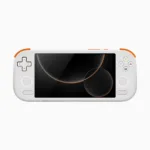
Mangmi Air X