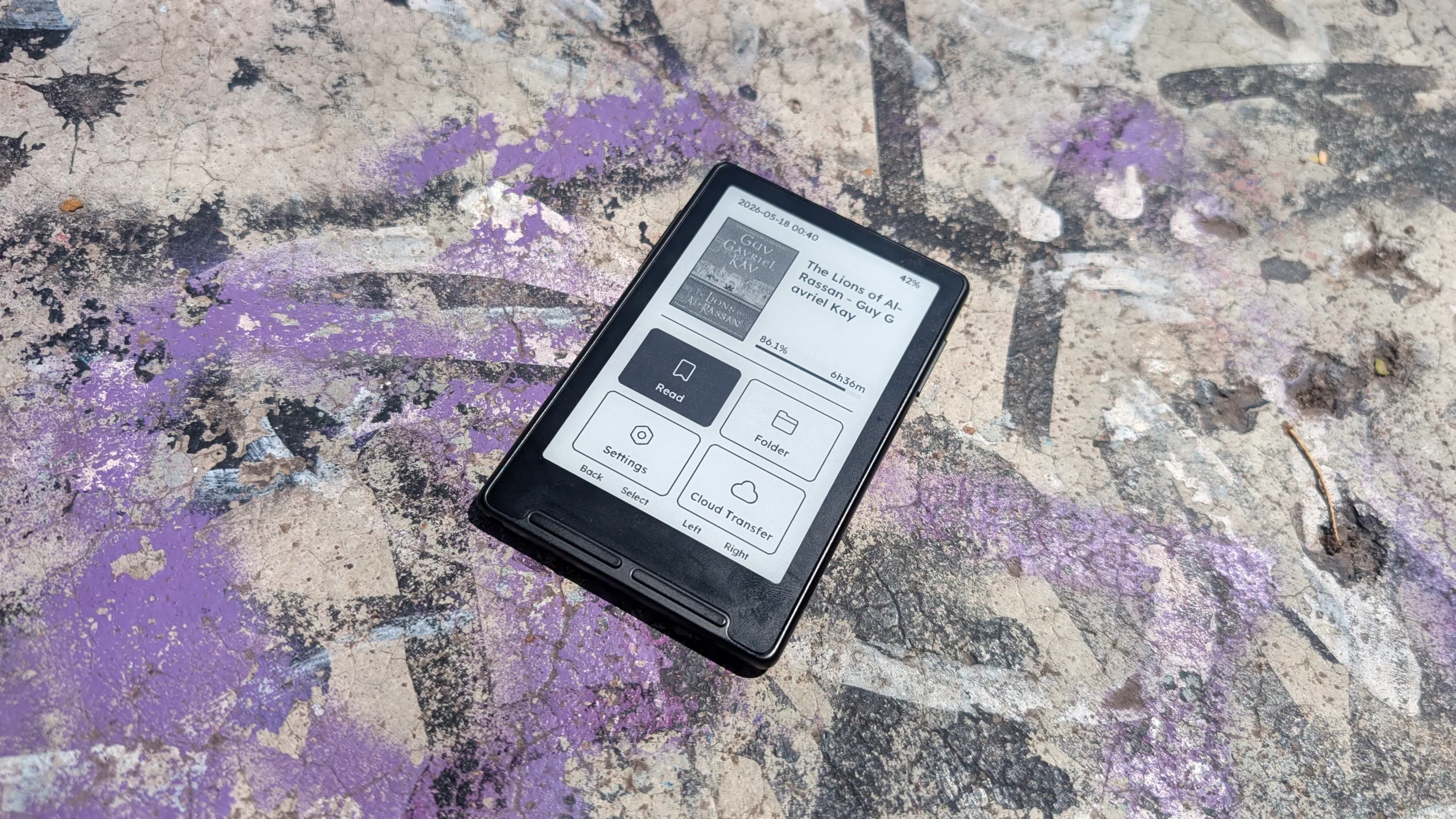

Last year, a seismic shock rumbled through the e-reader scene when the upstart hardware manufacturer Xteink released its 4.3-inch E Ink device, the X4. Since its launch last fall, the plucky little device has been capturing hearts and has even broken into the top 10 best-selling e-readers on Amazon, the first non-Kindle device to do so. Earlier this year, Xteink doubled down on creating a small e-reader by releasing the 3.7-inch X3, and it may be its best hardware so far.
Pricing and specs
The X3 is available directly from Xteink for $79, or you can look around on AliExpress, where I’ve seen it offered from anywhere between $45 and $70. That’s where I got mine, and I paid around $70 with free shipping. Where you source it makes a difference, particularly if you plan on sticking with stock firmware. If you buy from AliExpress, you’ll almost certainly get the Chinese firmware, meaning you can only use the companion app with a Chinese phone number (which you’ll need for registration). If you buy directly from Xteink, you’ll get the International firmware, which doesn’t require a phone number to register with the app.
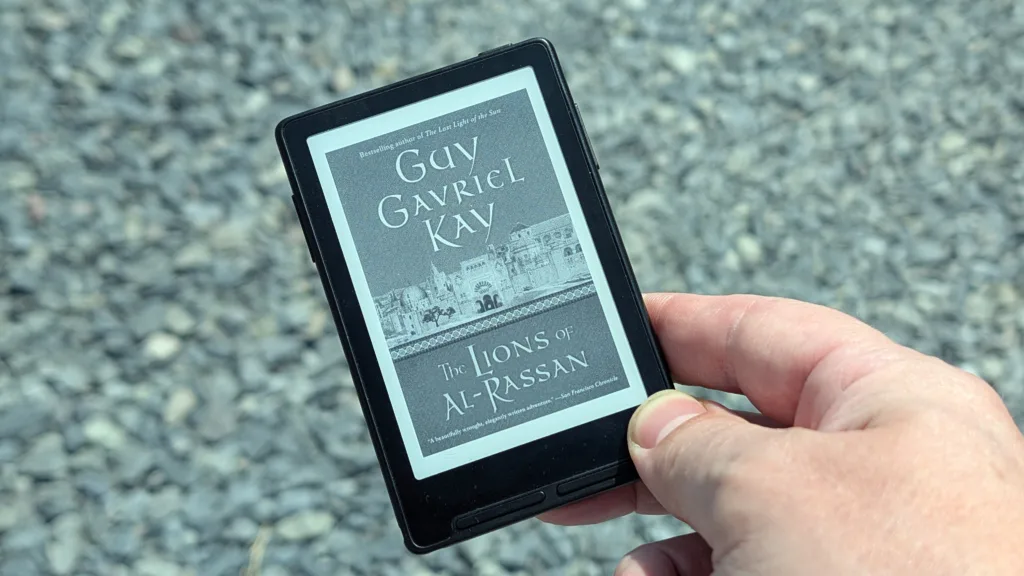
Like its predecessor, the X3 is uniquely underpowered. The whole thing is running on an ESP32-C3, essentially a hobbyist SoC. Its RISC-V core can run at up to a paltry 160 MHz and offers only 400 kB of RAM. Still, since the Xteink experience is so barebones, you don’t need a lot of power, and you won’t really miss it.
Specifications
| Resolution: 528 × 792, 259 ppi | CPU: ESP32-C3, 160 MHz |
| RAM: 400 kB | ROM: none, (16 GB MicroSD card included) |
| Battery: 650 mAh | Weight: 58 g |
| Connectivity: Wi-Fi | Charging: USB-C |
The X3 display is good enough for what it is
Xteink claims the X3 display is sharper than the X4’s, and I can kind of see it, but I’m not on the Xteink train for the clarity of its display. The improved sharpness is very much a nice-to-have, but it’s not the kind of thing that jumps out at you immediately. Having said that, the smaller size and higher resolution definitely make the text in my books appear less blocky, which is a good thing.
Like the X4, the X3 generally only displays 1-bit images: black and white. The hardware is capable of displaying two shades of gray, but rendering it is memory-intensive, and remember, the X3 only has 400 kB of that precious RAM. Notably, according to Crosspoint’s documentation, the hardware can render 2-bit images. Of course, if you bought the X3 to look at pictures, you’re probably going to have a bad time.


I had a scare when I first bought the X3 because I decided to carry it in my pocket with my phone. Given that this is a pocket-sized device, I didn’t think anything of it, but the screen is the weak point on the X3. After getting a little too snug with my PopSocket, the screen was visibly marred for a hot minute, but it did go back to normal. So don’t be a cheapskate like me; pick up a case for the X3 if you’re going to get the e-reader.
Given that I’ve listed some of the features the display does have, I also need to point out what it doesn’t have. The two you’ll miss most from traditional e-readers are front lighting and a touchscreen. Their absence isn’t a deal-breaker, but until you get used to navigating with the rocker buttons, you’ll probably miss a touch interface.
The stock UI is unchanged, but it was never broken
Navigating the Xteink X3’s menus is essentially the same as on the X4, with a few unique out-of-the-box features the X4 didn’t initially have. The home interface is now much cleaner, for one thing. At the top of the display is the time and date (a feature missing on the X4) and a numerical charge percentage (compared to the X4’s graphical representation). If you’ve been keeping your X4 stock firmware up to date, everything else should be familiar.
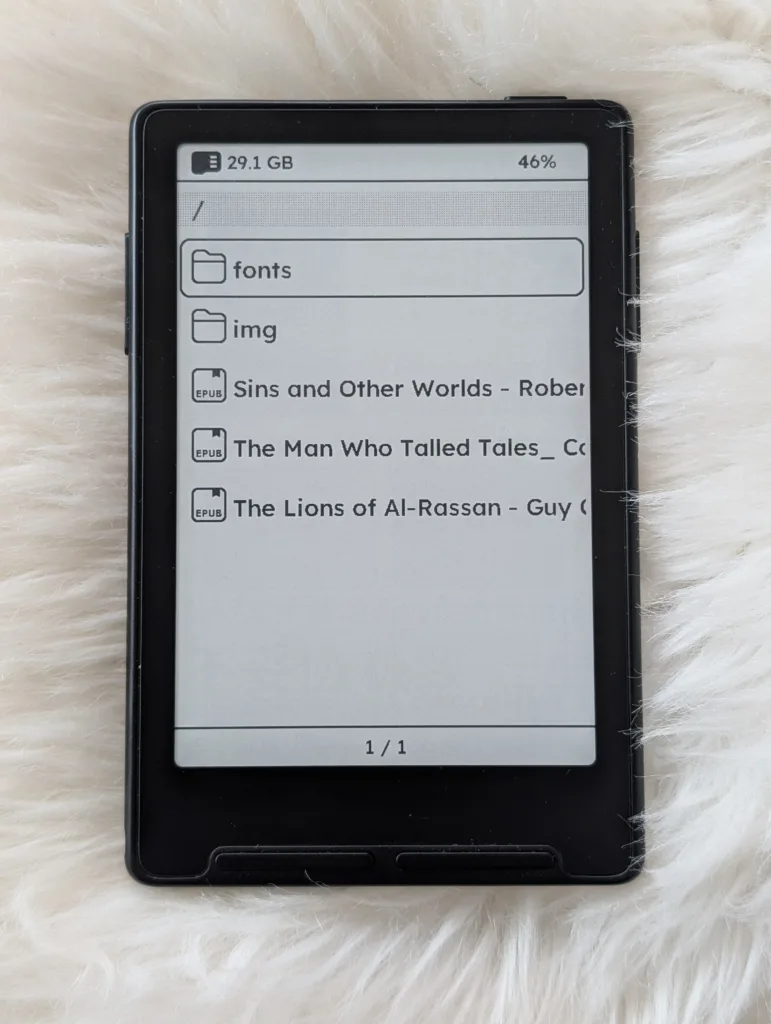
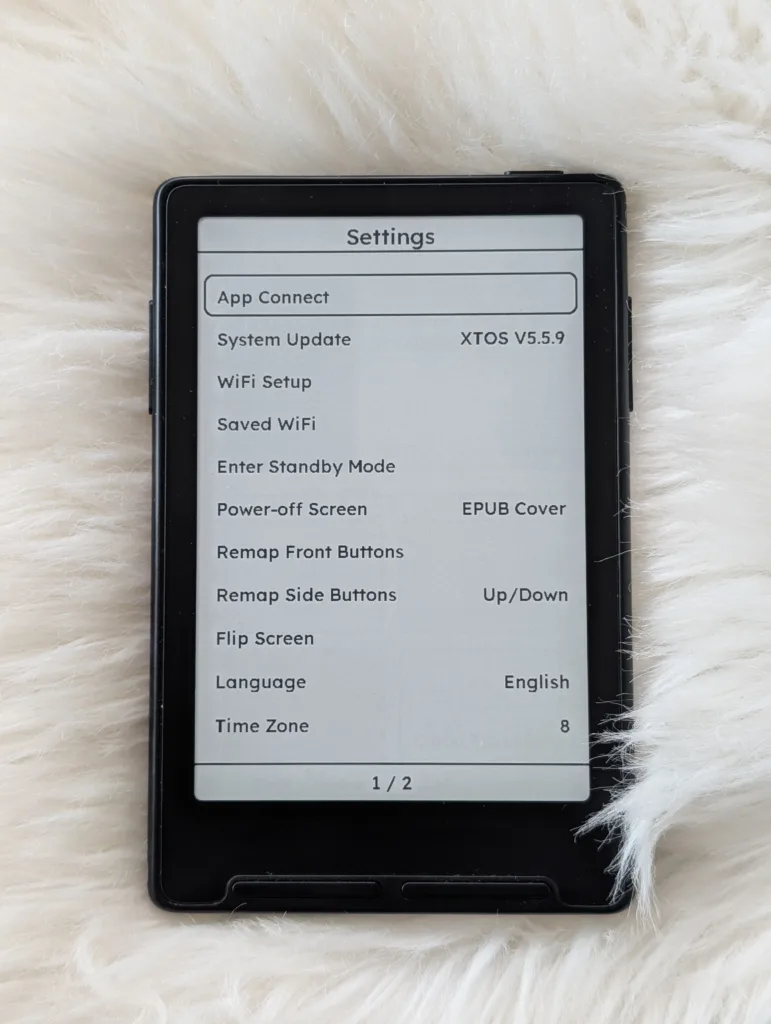
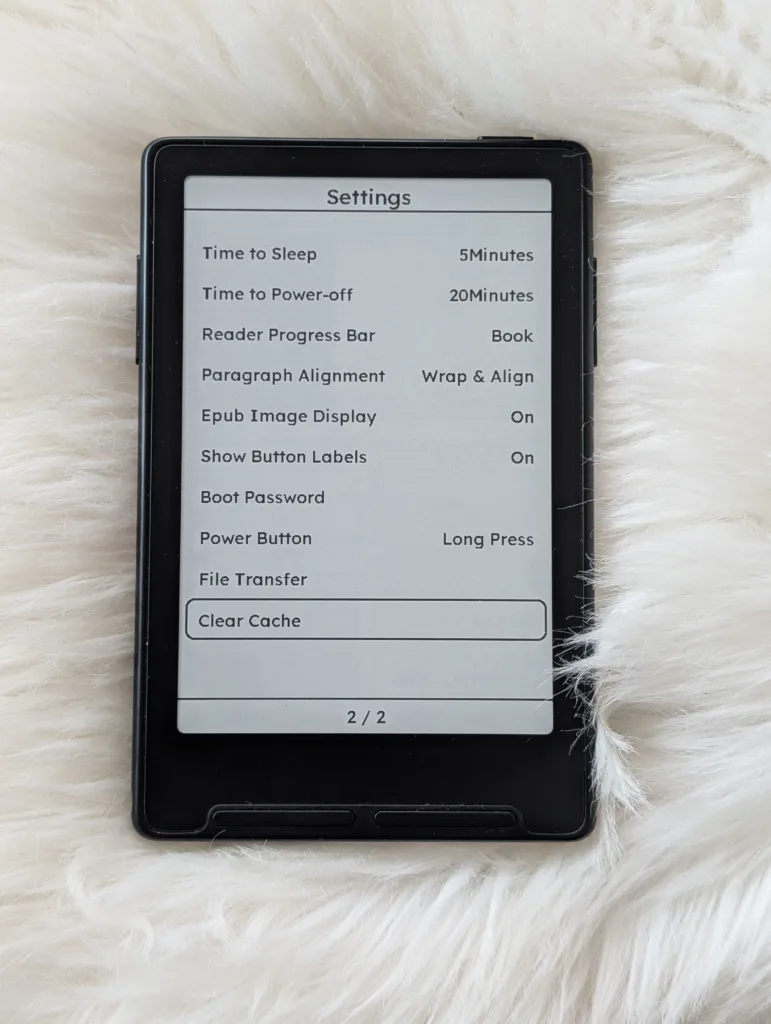
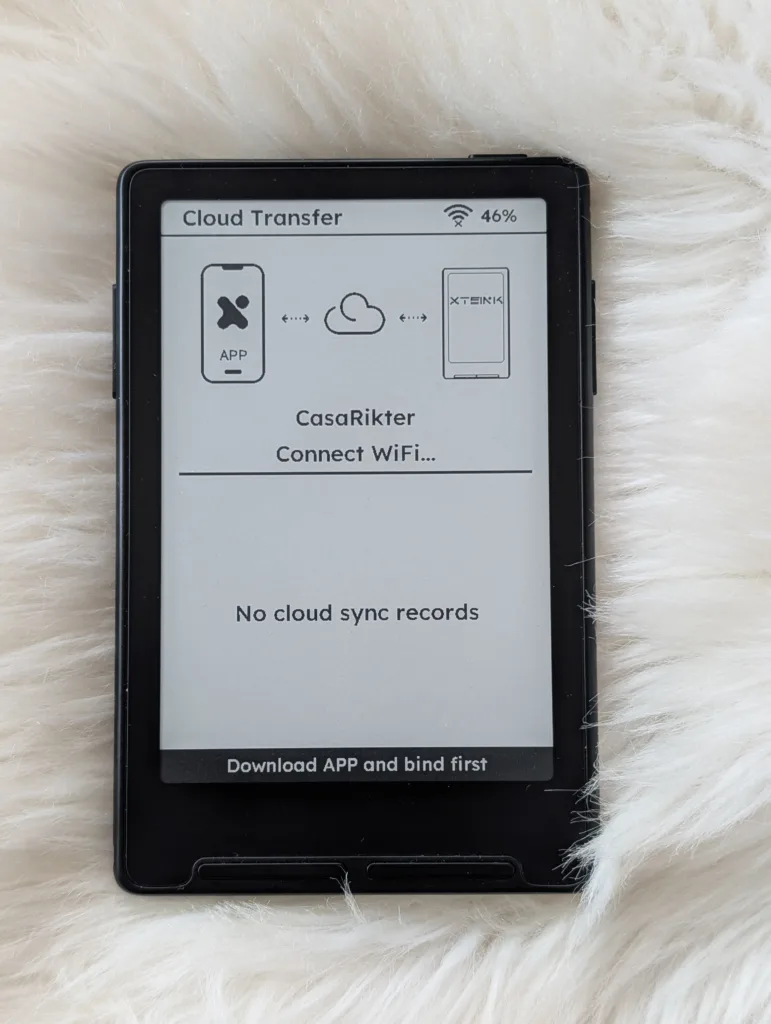
The top half of the home screen is dominated by an image of the book you’re currently reading (if you have a cover image) as well as a title and a progress bar. Beneath that are your menu options. Read will jump you back into the book you were last reading. Folder is your access to your SD card. I keep books and custom typefaces on mine. Settings is where all the options are. This is where you can set up your Wi-Fi and change the system language, among other things. Finally, there’s Cloud Transfer. This function only works through Xteink’s app, and different apps are required based on which X3 you have.
This is a good point to bring up the X3 firmware. If you own a Chinese X3, you have to use the Chinese version of the app, and you can only use that version if you have a Chinese phone number (which I do not have). Then there is the International version , which is only available through Xteink’s website and will cost you $10 to $15 more before shipping. Xteink is very particular about separating its Chinese and International markets, and it’s very recalcitrant when it comes to letting you change your firmware.
Reading on the Xteink X3 is much better
Whether it’s because I haven’t used my X4 in months and haven’t kept up with Xteink’s incremental updates, or the X3 is just better at handling Western typefaces, the reading experience just feels so much better. If you read my previous review of the X4, I gave it lots of (entirely justified) flak for dropping the ball on its rendering of Western glyphs.
Whereas the X4 had a lot of trouble properly displaying the symbols in custom typefaces, those problems are almost completely gone from the X3 experience. To be fair, they’re mostly gone from the X4 now that Xteink is taking its international buyers seriously, but it’s nice to have a good experience out of the box without fighting the device.
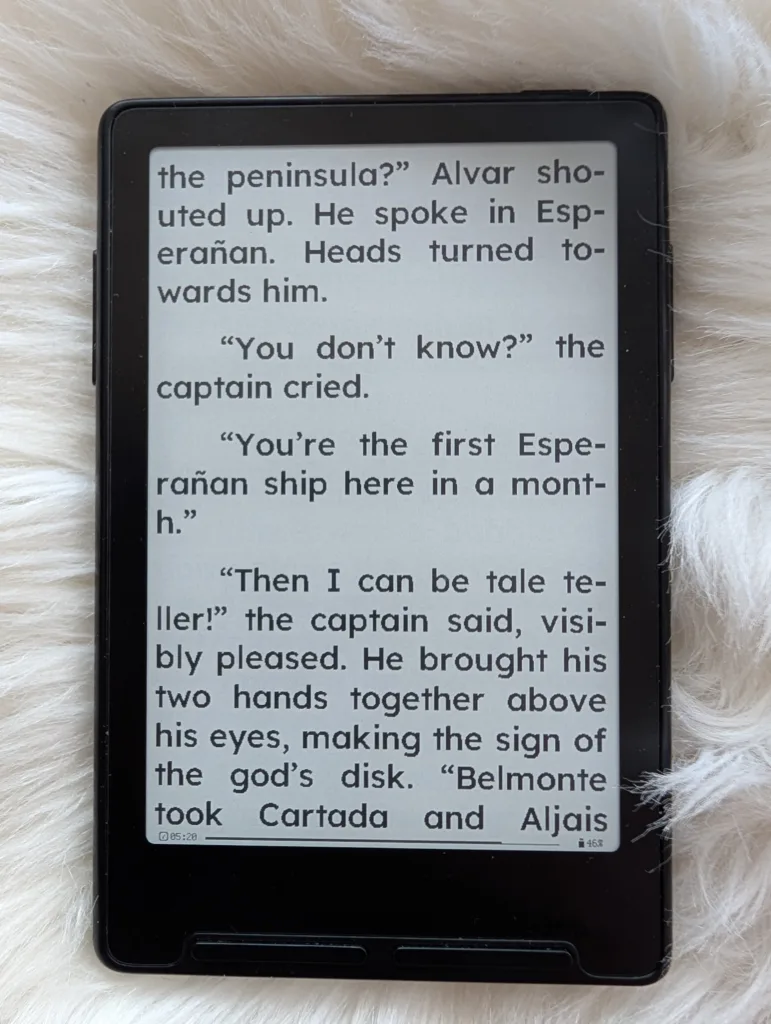
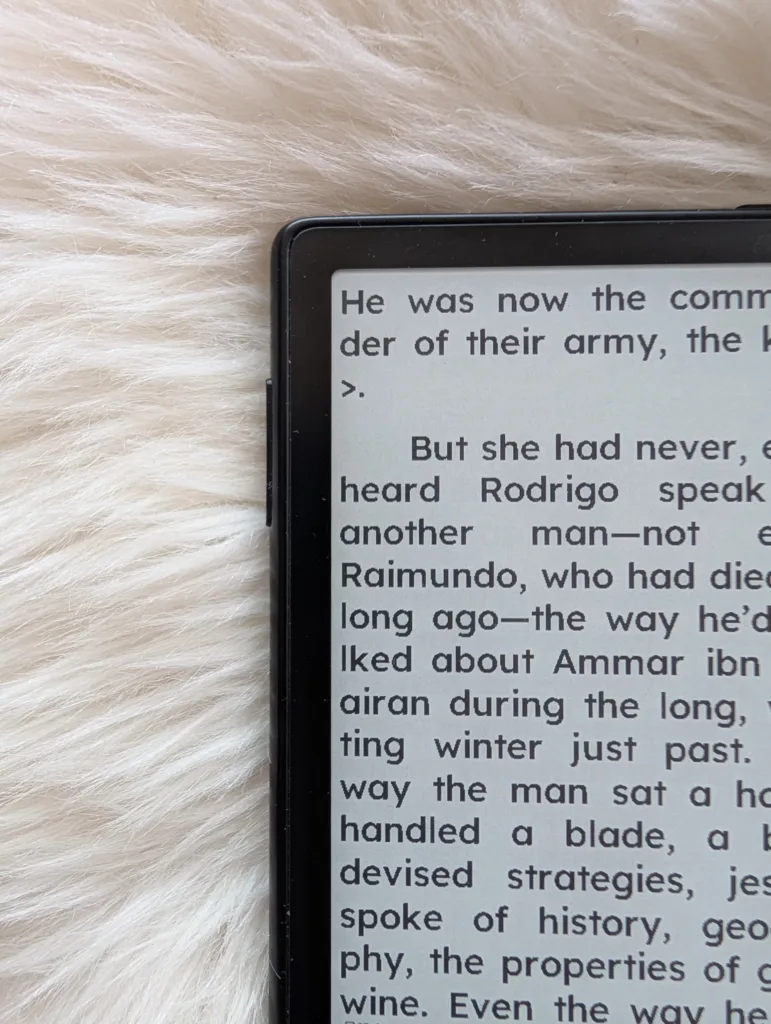
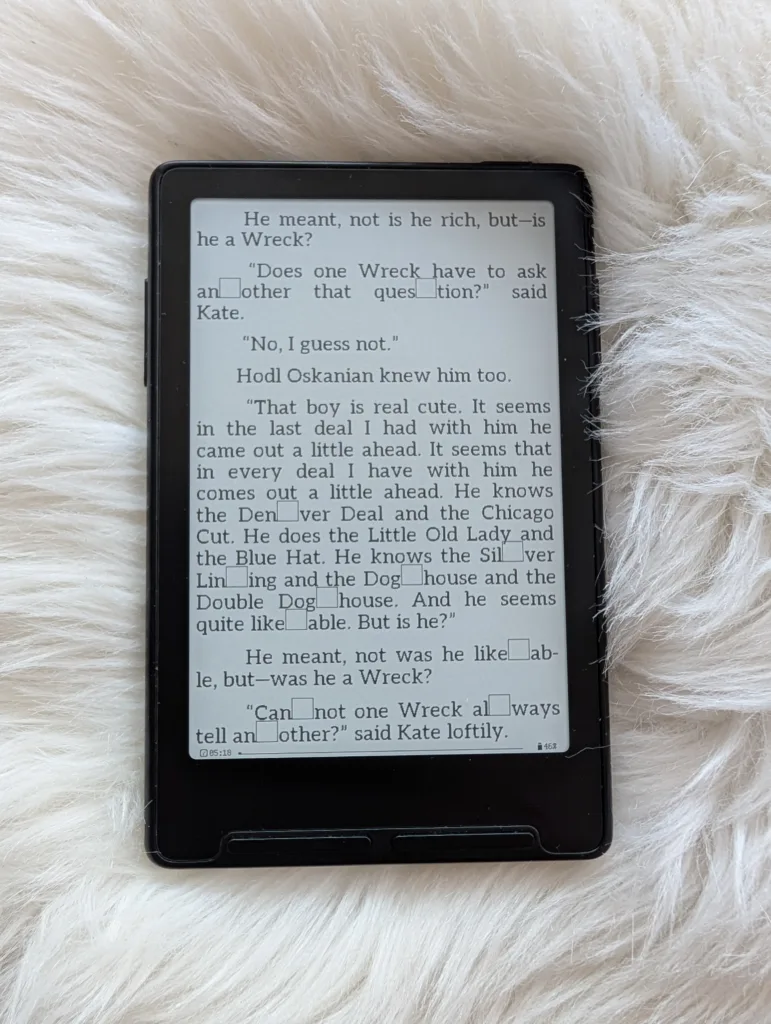
Having said all that, there are still some wonky rendering issues, in particular, the firmware isn’t very good at figuring out where to break a word with a soft hyphen for a word wrap. With some fonts, it will add a square in the middle of a word. Other times, it will insert a right angle bracket (>) at the beginning of a line. Of all these issues, only the random squares take me out of whatever story I’m reading, and that only happens with certain fonts. Given the hyper-portability of the X3, it’s a compromise that’s easy to make.
The X3 feels really good to use despite its problems
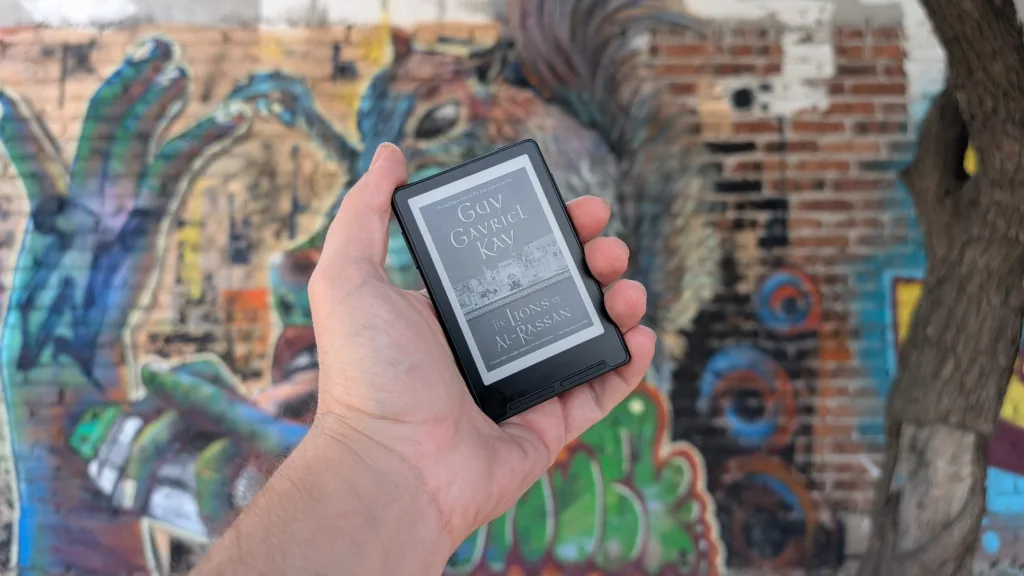
I’ve said before how nice the X4 feels in the hand, but I think the X3 feels even better. Diving into this tiny e-reader fad last year, I didn’t think I would have a valid use case for something so small when I already love using the “full-sized” devices I already have. But there’s something very compelling about being able to slip an e-reader the size of a credit card into your pocket.
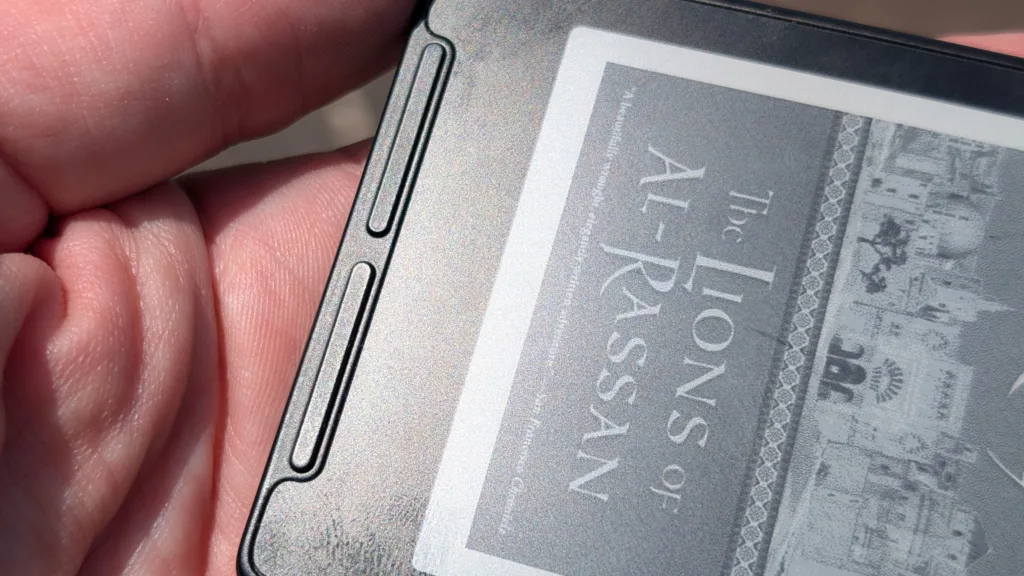
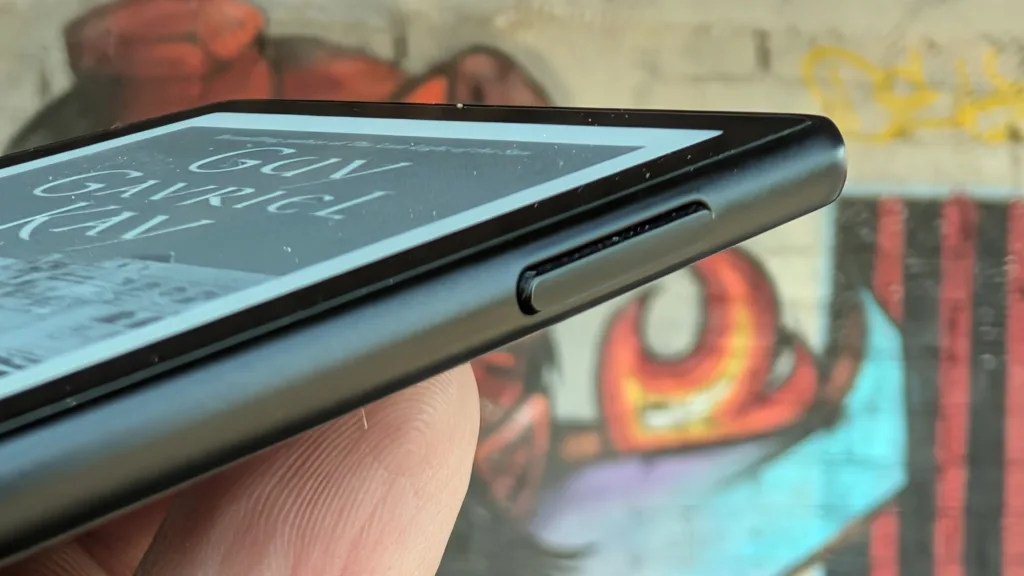
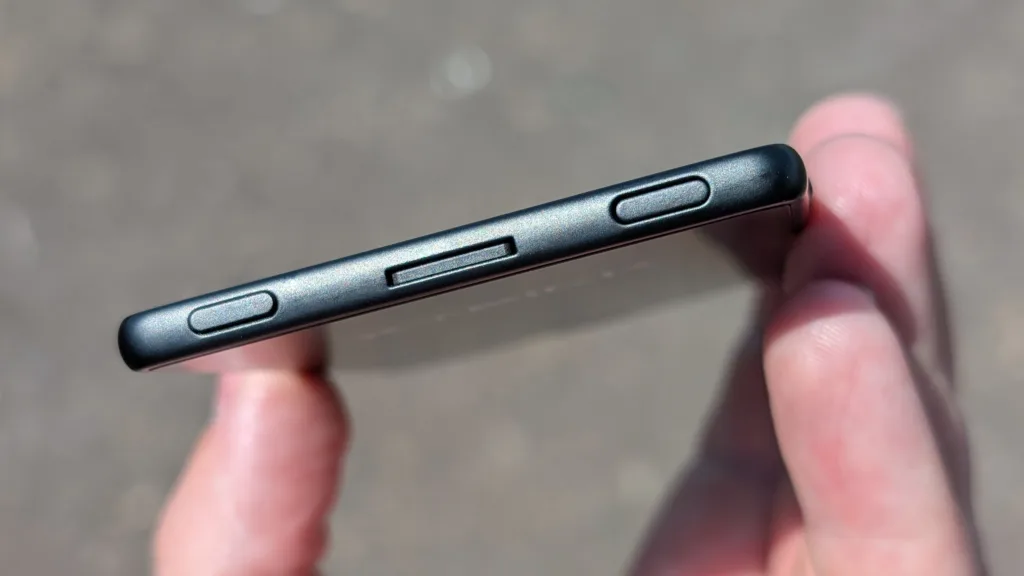
The X3 is also better at ambidextrous reading than its predecessor was. The X4 had six rocker buttons, two on the bottom of the face and one on the right-hand side. The X3 goes even further by putting an additional rocker on the left edge as well, meaning it’s comfortable to read for extended periods, no matter which hand is dominant.
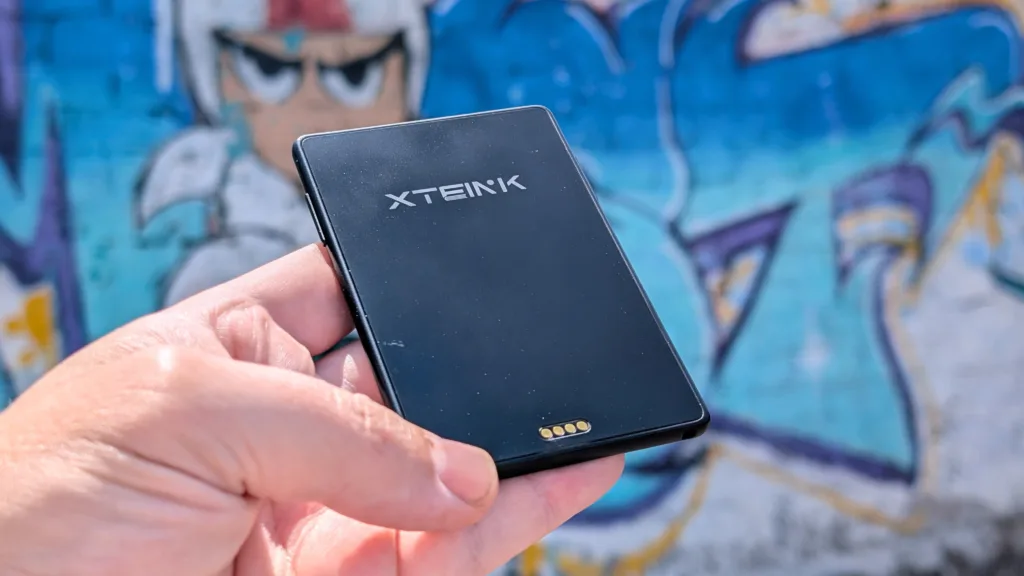
Finally, the X3 fits on my phone much better than the X4. The X4 could snap to my MagSafe phone case, but it only locked at a weird angle (at least in the X4 I received), and the magnet was installed off-center. The X3 fixes both of those issues and attaches perfectly to my Pixel 9 MagSafe case. Of course, I still haven’t found a good use case to do that, but if that’s your jam, it’s a better experience now.
Should you buy the Xteink X3?
I can mostly recommend the Xteink X3 with only a few reservations. The stock firmware comes with only three fonts, and while importing new ones is pretty simple, creating your own can still be a bit of a burden. There are better tools than Xteink’s original software, which hasn’t been updated in almost a year, but the process is still wonky.
If you’re willing to go through the work of flashing new firmware on your reader, you’ll find that there’s a lot of functionality that Xteink has left on the table that many other developers are picking up. Even though Xteink briefly flirted with locking down its hardware, it seems to have corrected its course and is partially embracing the customization. This is a great little e-reader for people who like to tinker with what they own, especially with how active the firmware scene is at the moment.
Still, this is a very niche device that is missing most of the bells and whistles found on name-brand e-readers. Things like touch screen interfaces and front-lit screens. I think it’s a cool little machine, and I’m going to put some more books on it, probably short stories, so I can take this with me anywhere and sneak in a quick read.
Pros
- Small enough to go wherever
- Lots of buttons
Cons
- Still has trouble with text rendering
- UI is slow to respond
| Developer | Model | Price |
| Xteink | X3 | $79 |
Before having the Xteink X3 in my hand, I would have said there’s no need for a device this small, but I would have been wrong. There are only a few things holding the X3 back from being my favorite e-reader, and portability and ease of use aren’t one of them.
Xteink X3